
Instagram scraper API. Skip the Graph API.
The Graph API only covers accounts you own. Social Fetch returns followers, posts, Reels, stories and comments for any public account, as JSON in one request.
- No login or Meta app
- Stories, highlights and audio
- Engagement metrics included
- Failed lookups aren't charged
Teams running monitoring, research, and enrichment pipelines


Why Social Fetch
We run the Instagram scrapers. You build the product.
Live Instagram data as JSON — proxies, platform changes and consistent output handled for you.
Instagram, plus every other network
One key and one response envelope for Instagram and 24 more platforms — profiles, posts, search, comments and transcripts.
Pricing you can reason about
One request, one credit. Know how far your balance will go before you run your next batch.
Live data on every request
Fetch public data when you ask for it — not from a shared cache.
No scraper maintenance
We handle proxies, browser changes, and platform breakages.
Built for production jobs
Run concurrent workloads with explicit statuses and request IDs.
Regular jobs. Better rates.
Running lookups every month? Get lower per-credit rates with a monthly plan. For occasional projects, choose pay as you go.
What Instagram data can you get?
44 endpoints, one API key. Every response comes back as live JSON in the same envelope.
Profiles & channels
Look up a Instagram account by handle or URL — bio, counts and metadata.
Lists & graphs
Page through an account's posts, videos, followers and more.
+1 more lists & graphs endpointsContent
Fetch a single post or video by URL, with metrics and media.
+1 more content endpointsSearch & discovery
Search Instagram by keyword, hashtag or trend.
+10 more search & discovery endpointsComments
Pull comment threads and replies for any public post.
Transcripts
Plain-text transcripts with timestamps for video content.
Other
More Instagram routes on the same key.
+7 more other endpoints
Browse all 44 Instagram endpoints
Profiles & channels
Lists & graphs
Content
Search & discovery
Comments
Transcripts
Other
What teams build with Instagram data
Monitoring, enrichment, research and content workflows on Instagram data — the same API as every other platform.
Monitor brands and competitors
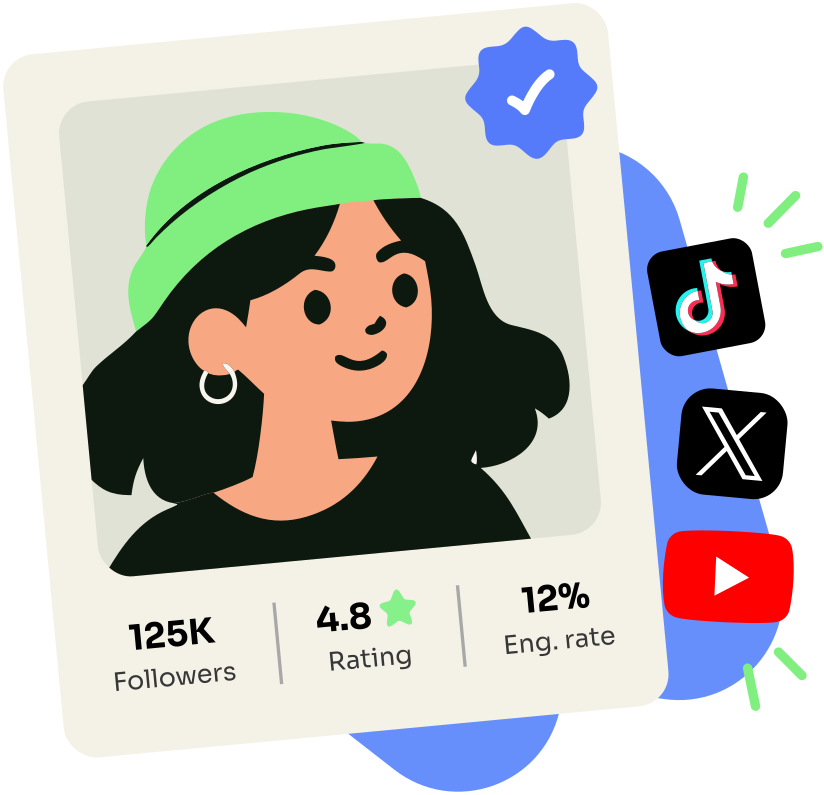
Find and vet creators
Check reach and engagement before you reach out.
Turn video into searchable text
Transcribe and index video and audio content so you can find the exact moment you need.
Track public communities
Follow the subreddits, groups, and channels where your audience talks.

How it works
Your first request in three steps.
Use TypeScript or your automation tool of choice.
Sources
+ 19 more platforms
One request
GET/v1/tiktok/profiles/
x-api-key: sk_live_••••••••
Same JSON shape
{
  "data": {
    "lookupStatus": "found",
    "profile": {
      "platform": "tiktok",
      "handle": "charlidamelio",
      "displayName": "charli d’amelio",
      "verified": true
    },
    "metrics": {
      "followers": 160263648
    }
  }
}
Step 1
Create your free account
Get an API key with 100 requests included.
Step 2
Choose an endpoint
Pass a username, URL, keyword, or post ID.
Step 3
Get clean JSON
Use the response immediately or send it into your pipeline.
Works with your stack
Code, automate, or connect your AI.
 TypeScript
 n8n
n8n- Make
- Apify
- MCP
- AI clients
Pricing
Social data, priced simply.
Start with 100 free credits. Monthly plans give you predictable volume and lower per-request rates.
Starter
18,000credits
$1.61 per 1k · $0.00161 per request
- Top up from $1.61 / 1k if you run out
- Up to 25 monitors
Growth
50,000credits
$1.58 per 1k · $0.00158 per request
- Top up from $1.58 / 1k if you run out
- 5 team seats
- Up to 100 monitors
Scale
150,000credits
$1.50 per 1k · $0.00150 per request
- Top up from $1.50 / 1k if you run out
- 25 team seats
- Up to 250 monitors
- Cancel anytime
- 30-day money-back guarantee
- Price locked while you stay
Need 1M+ credits, invoicing, or volume rates? Talk to us
Trust signals
DevHunt
Product Hunt
Uneed
Customers
Teams building on Social Fetch.
“Our TikTok and Instagram scrapers broke constantly. Social Fetch took us off that rotation — we ship product again.”
“Transcripts at volume from one endpoint. No broken scrapers for our small team to maintain.”
“Live profile data on every request. We never flag accounts from a stale cache.”
“Heavy concurrent load, no rate limits to negotiate. The rare API I haven't wrapped in retries.”
Instagram API: common questions
Is there an Instagram scraper API that doesn't need Graph API access?
Yes. Social Fetch's Instagram routes read public profile, post, Reel, highlight, and search data over REST. You authenticate with a Social Fetch API key only — no Meta App Review, no linked Business or Creator account, no Facebook Page, and no OAuth consent screen for the account you're looking up.
What Instagram data can I pull with Social Fetch?
Profiles by handle or numeric user id, an engagement audit of a profile's recent posts, profile posts, Reels and tagged posts (separate cursor-paginated lists), live stories, saved highlight albums and the story items inside one, the accounts a profile follows, where an account is based and when it joined, single posts and Reels by URL with comments, replies, transcripts and media downloads, hashtags and locations with their live post feeds, Reels that reuse an audio id, and search (accounts, hashtags, profiles, Reels, Popular topics, audio) plus a trending-Reels sample. Exact paths, params, and response fields are on this hub's endpoint list and under /docs/api.
How do I look up an Instagram profile by handle or user id?
Use GET /v2/instagram/profiles/{profile}: it takes a username (with or without the leading @), a profile URL or a numeric user id, and uses found, private or not_found on data.lookupStatus (restricted is rare). Add include=recentMedia for the latest grid posts and include=about for where the account is based and when it joined.
What's the difference between profile posts and profile Reels?
GET /v2/instagram/profiles/{profile}/media pages one tab of a profile at a time: tab=posts is the mixed public grid (images, carousels and in-feed video), tab=reels the Reels tab with play counts, and tab=tagged the posts other accounts tagged it in. Every item is the shared v2 media object, and each tab paginates with its own cursor/nextCursor.
How do I list posts a user is tagged in?
GET /v2/instagram/profiles/{profile}/media?tab=tagged pages the public Tagged tab by handle, profile URL or user id; each item is the shared v2 media object.
Does Social Fetch return Instagram Stories and highlights?
Yes, both. GET /v2/instagram/profiles/{profile}/stories lists a public profile's live stories from the last 24 hours, oldest first, in one response (an empty array when none are live), by handle, profile URL or user id. GET /v2/instagram/profiles/{profile}/highlights and GET /v2/instagram/highlights/{highlightId} list a profile's saved highlight albums (title, cover thumbnail) and open one album into its stories, with each story as the shared media object. Story items carry media URLs, timestamps, mentions, and link stickers when present.
Can I list the accounts an Instagram profile follows?
Yes. GET /v2/instagram/profiles/{profile}/following lists the accounts a public profile follows, in the order Instagram lists them. Each account is the shared v2 profile summary: id, handle, displayName, avatarUrl, verified and privateAccount. Keep passing data.page.nextCursor while data.page.hasMore is true to reach the end of the list. A private profile returns lookupStatus: private with no accounts. Follower lists aren't offered: Instagram only shows a small sample of an account's followers.
Can I get comments on an Instagram post or Reel?
Yes. GET /v2/instagram/media/{media}/comments takes a shortcode, URL or media id and returns top-level comments — text, author handle, like count, reply count — in Instagram's ranked order (sort=top, the default) or sort=newest, paginated with an opaque cursor while data.page.hasMore is true. Replies below a top-level comment are GET /v2/instagram/media/{media}/comments/{commentId}/replies.
How do I get a transcript for an Instagram Reel or post?
Call GET /v2/instagram/media/{media}/transcript with a shortcode, a /p/, /reel/ or /tv/ URL, or a media id — there is no separate Reel-only transcript path. It returns one transcript with text and durationSec; a video with no speech is found with a null text.
How do I discover accounts, hashtags, or trending Reels without a known handle?
GET /v2/instagram/hashtags/search finds hashtags by keyword (one ranked set with post counts, no cursor); pass a name to GET /v2/instagram/hashtags/{hashtag} or its /media for the tag's posts. GET /v2/instagram/profiles/search finds accounts by keyword, cursor-paginated. GET /v2/instagram/reels/search runs a keyword search scoped to Reels and pages with a cursor (data.page.nextCursor). GET /v2/instagram/locations/search finds places by name and returns each place's location id, name and coordinates (one set, no cursor); pass an id to GET /v2/instagram/locations/{locationId} or its /media. GET /v2/instagram/reels/trending takes no query params and returns one fresh sample batch of Reels as shared v2 media objects (call it again for another), and GET /v2/instagram/topics/{topic} is the Popular topic page in v2 (the topic's details on the first page, then its curated posts as media, cursor-paginated). GET /v2/instagram/audio/search finds songs and original sounds by keyword (one ranked set, no cursor) and returns each result's id. Pass an audio id (from search, a Reel's audio.id, or the numeric id in an instagram.com/reels/audio/{audioId}/ URL) to GET /v2/instagram/audio/{audioId} for the audio's details (an id from search can occasionally resolve to not_found; then try that result's assetId), or to GET /v2/instagram/audio/{audioId}/media to page the Reels that use it.
How much does the Instagram API cost?
Almost every Instagram operation is a flat 1 credit per completed lookup, including each page of a paginated list (a list that ends on an empty page still bills that page). The exceptions are GET /v2/instagram/media/{media}?include=files, which adds a 10-credit surcharge (11 total) when the files are hosted, GET /v2/instagram/profiles/{profile}, where include=recentMedia and include=about add 1 credit each when served, and the engagement audit, which is 5 credits for an audited profile (on the v2 route, 1 credit for a private or missing one). Signup includes 100 free credits and pay-as-you-go packs don't expire. Confirm every call with meta.creditsCharged.
What happens for private or missing Instagram accounts, and is this legal?
Every profile route (profile, basic, engagement, posts, reels, highlights, stories, tagged posts) uses the same data.lookupStatus values: private for private accounts and not_found for unknown ones (stories have no restricted). Age-gated accounts return found with their public data; restricted is rare and means Instagram withholds the account from public view. The v2 profile's include=about is served for private accounts too, because Instagram shows that panel for them. Post detail uses restricted only for posts Instagram withholds from public view. None of these routes invent placeholder data for content that isn't public. Social Fetch only returns publicly visible Instagram data; you're responsible for using it in line with Instagram's terms and applicable law, and we don't provide legal advice.
The Instagram API in detailHow the Instagram routes work, what they cost, and how they differ from the official API.
Why teams use Social Fetch for Instagram
Look up any public Instagram account by username and get its profile, posts, Reels with play counts, comments, story highlights, and transcripts of spoken audio as JSON. Search covers accounts, hashtags, locations, audio, and Reels.
The v2 API (/v2/instagram/...) is the one to build on: a single profile route that takes a handle, profile URL or user id, one media route for posts and Reels, cursor-paged media lists, and the same media object everywhere.
Meta's Instagram Graph API is built for managing accounts you own, and access goes through Meta App Review and a linked Facebook Page. Social Fetch needs no app review, no Business account, and no OAuth, and you never patch a scraper or rotate proxies when Instagram changes its markup.
Each call reads the public page live and comes back in one schema shared across all 25 platforms, under a single API key. Billing is per lookup in credits: 100 free to start, no credit card required, then pay-as-you-go packs that never expire.
How to call the Instagram API
1. Create an API key
Sign up at Social Fetch and copy a key (
sfk_…). New accounts get 100 free credits — enough to resolve a profile, page a few posts, and run one transcript against live data.2. Call an Instagram route
Start with
GET /v2/instagram/profiles/{profile}for the profile card (a handle, profile URL or user id), then page its posts, Reels or tagged posts withGET /v2/instagram/profiles/{profile}/media?tab=posts|reels|tagged. Passx-api-keyon every request. Use the playground for one-off checks; use curl or the TypeScript SDK for scheduled jobs.3. Read the shared envelope
Branch on
data.lookupStatusbefore writing rows — the set of values differs slightly by route (stories usefound/private/not_found, with norestricted). Logmeta.requestIdfor support. Bill frommeta.creditsCharged, not a spreadsheet estimate.
What each Instagram route returns
- Profile (
/v2/instagram/profiles/{profile}) — one lookup by handle, profile URL or user id;include=recentMediaadds the latest grid posts andinclude=aboutthe country and month joined (+1 credit each). - Profile media (
/v2/instagram/profiles/{profile}/media) — a profile's posts, Reels or tagged posts as the shared v2 media object, selected withtab, cursor-paginated. By handle, profile URL or user id. - Media (
/v2/instagram/media/{media}) — one post or Reel in full detail by shortcode, URL or media id, with tagged users, co-authors, audio and location (1 credit).include=filesalso hosts the post's original files on our media CDN (+10 credits, 11 in total). - Live stories from the last 24 hours (
/v2/instagram/profiles/{profile}/stories), and v2 highlights (/v2/instagram/profiles/{profile}/highlights,/v2/instagram/highlights/{highlightId}), as the shared v2 media object withkind: story. - The accounts a profile follows (
/v2/instagram/profiles/{profile}/following) — id, handle, display name, avatar, verified and private flags, cursor-paginated to the end of the list. By handle, profile URL or user id. - Engagement audit (
/v2/instagram/profiles/{profile}/engagement) — engagement rate of a profile's recent posts: 5 credits for an audited profile, 1 credit for a private or missing one. - Comments (
/v2/instagram/media/{media}/comments) — a post or Reel's top-level comments by shortcode, URL or media id, ranked (sort=top, the default) orsort=newest, cursor-paginated, and the replies below a comment (.../comments/{commentId}/replies), each page 1 credit. - Media transcript (
/v2/instagram/media/{media}/transcript) — the spoken text of a post or Reel video by shortcode, URL or media id (1 credit); a video with no speech isfoundwith a nulltext. - Hashtags (
/v2/instagram/hashtags/{hashtag}) with id, post count and trending flag, their livetop,recentandreelsfeeds as the shared v2 media object (.../{hashtag}/media, cursor-paginated), and a hashtag search by keyword (/v2/instagram/hashtags/search). By name,#nameor an instagram.com tag link. - Locations (
/v2/instagram/locations/{locationId}) with name, coordinates and category, the posts and Reels tagged there (.../{locationId}/media) ontopandrecenttabs, and a place search by name (/v2/instagram/locations/search) that returns the location ids. - Trending and topics: a fresh batch of trending Reels (
/v2/instagram/reels/trending, no parameters) and Instagram's Popular page for a topic (/v2/instagram/topics/{topic}) with its title, description, post count, related searches and curated posts, both as the shared v2 media object. - Audio: a song or original sound by audio id (
/v2/instagram/audio/{audioId}) with title, artist, length, exact Reel count and trending flag; the Reels that use it as shared v2 media (.../{audioId}/media, cursor-paginated); and a keyword search (/v2/instagram/audio/search) that returns the audio ids.
How much does the Instagram API cost?
Instagram operations in the OpenAPI registry are 1 credit per completed lookup, with paginated list routes billing per page. The exceptions are the engagement audit (5 credits; on GET /v2/instagram/profiles/{profile}/engagement a private or missing profile costs 1), GET /v2/instagram/media/{media}?include=files (a 10-credit hosted-files surcharge, 11 credits total for that call) and the include extras on GET /v2/instagram/profiles/{profile} (1 credit each). Credits never expire on pay-as-you-go packs. Always confirm the actual charge with meta.creditsCharged on the response.
Social Fetch vs the official Instagram API
Meta Instagram Graph API manages accounts you own — publishing, moderation, insights — after Meta App Review and Facebook Page linkage. It won't return a competitor's follower count, Reels tab, or hashtag search. Social Fetch covers public-web lookups for any public handle, post URL, or hashtag with a Social Fetch API key — no app review, no Business account, no OAuth.
More platforms on the same key
 X (Twitter) API
 YouTube API
 Facebook API
 LinkedIn API
 Reddit API
 Threads API
Pull your first Instagram data.
Run a live Instagram request in the playground. 100 free credits, no card, JSON back in seconds.
No credit cardSign up in 30 seconds withGoogleGitHub