Ask your connected AI to retrieve public data with Social Fetch, then summarise the results. Give it a specific query, handle or URL, a limit on lookups, and the evidence you want back. The prompts below are instructions to try, not reports of research already completed.
Connect before you prompt
You need a Social Fetch account with credits and an AI app that supports MCP. MCP is the connection that lets your AI call Social Fetch tools. Your AI app may have its own plan requirements; its subscription does not pay for Social Fetch lookups.
- Sign in and open Connect with AI.
- Under Which AI do you use?, pick your app and follow its setup steps.
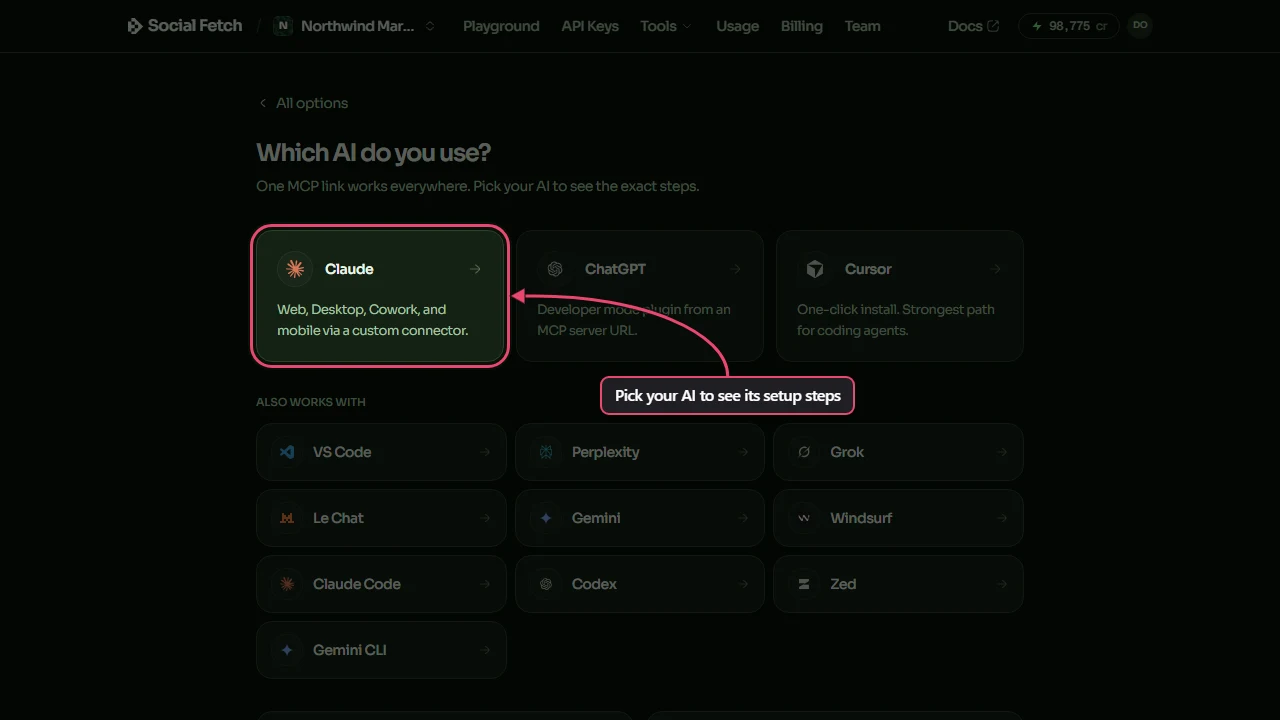
- Finish the Social Fetch sign-in in the window your AI opens, then choose Allow access. If asked to choose a workspace, choose the one whose credits you want to use.
- Return to your AI and enable Social Fetch for the conversation if your app requires it. Ask it to use
auth_whoamiandbilling_balance_getto check the connection and credit balance. These checks use no lookup credits. Do not paste a key into the conversation.
The hosted server address is https://api.socialfetch.dev/mcp. Most clients use OAuth sign-in. Clients without a sign-in flow can use an API key in the x-api-key header; see the MCP setup guide for the configuration and troubleshooting steps.
The app's Get help panel contains Ask AI for product help and account questions. When signed in, it can prepare a quick-tool lookup card that you click to run. Use the connected AI conversation described here for these research prompts; the help panel has a different set of tools.
Try one bounded search
Start with one search page so you can review the evidence before paying for more. Paste this into your connected AI:
A page is one set of results returned by a search. A cursor is the value used to request the next set. Showing five posts does not limit the cost to five rows: the operation's pricing determines the charge.
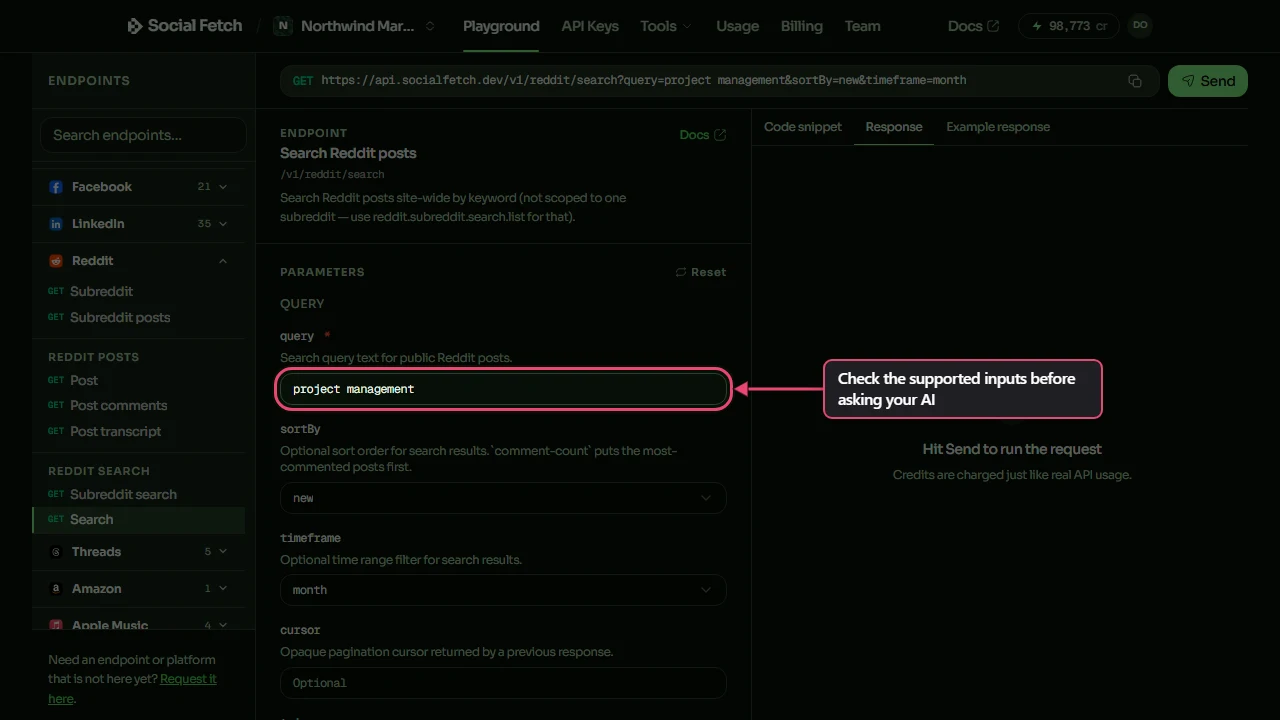
You can inspect supported fields yourself in Playground. Choose Search Reddit posts and enter the query. sortBy accepts new; timeframe accepts month. This is a site-wide post search. For one subreddit, ask your AI to use the separate subreddit search tool.
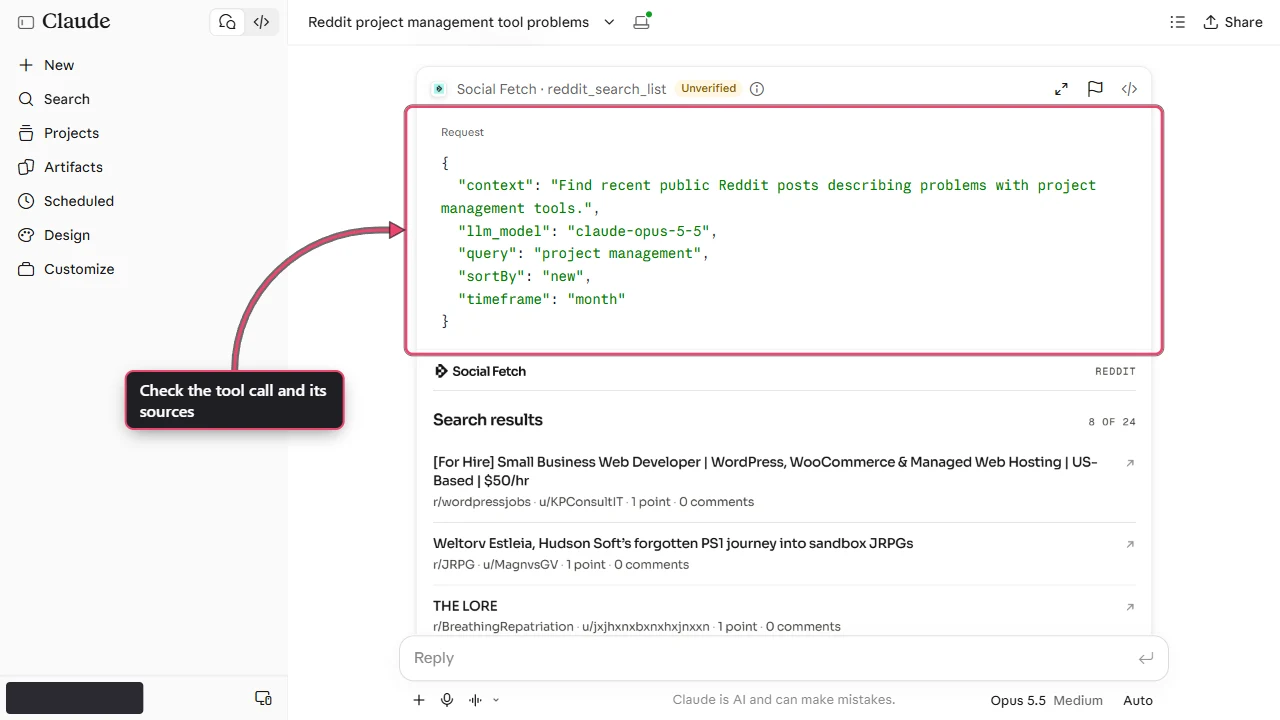
Open the source links and check the quotes before using the summary. A search sample cannot tell you how common a problem is across all users. Text returned from posts is research material, including any instructions someone wrote in a post.
Leads
Search for stated needs, then review the posts yourself. A complaint is evidence of a complaint, not proof that its author wants a sales message or has a purchasing budget.
Replace the quoted topic with yours. The X search tool uses section, such as latest, rather than a sort field. Neither prompt promises complete coverage of a topic or a date range.
Creators
Use exact handles or known channel URLs. Display names can belong to more than one account, and matching handles across platforms do not prove shared ownership.
To review a YouTube channel's recent uploads, provide its channel URL and ask for one page of channel videos. That is a separate operation from a channel profile lookup. Ask for the returned upload dates and links rather than a claim about the channel's entire history.
Transcripts
Replace [video URL] with a real public video link before sending. A transcript may be unavailable, and generated transcription can have a different price from reading captions.
For an Instagram Reel, provide the full Reel URL and ask your AI to check the current Instagram transcript tool's inputs and price before running it. Instagram's transcript tool can use AI transcription; do not assume the TikTok fallback switches apply to it. Read the Reel transcript guide first.
Research
Give the AI an identifier it can look up. A LinkedIn person's display name alone is not a profile handle.
For repeated research, keep the source URL and retrieval date beside each saved result. A new lookup is a new snapshot; changes in returned counts do not explain why those counts changed.
Check the answer and the cost
Expand the tool calls in your AI app. Check the requested platform and input, then the returned data. Some tools return lookupStatus; read it before using a profile. Search tools return lists, which may be empty. A successful call does not guarantee useful results.
For each paid call, keep meta.requestId and meta.creditsCharged. Add the charges across calls, including extra pages and follow-up lookups. Check Usage for account spending. Different operations can have different prices, so read Credits and billing before a batch.
Completed not-found or private-profile lookups can still use credits. Some operations have explicit exceptions: a YouTube transcript lookup with no transcript is free. Read the operation's pricing rather than treating an empty answer as a free call.
A prompt asking the AI to stop after one page is an instruction, not an account spending cap. Review tool permissions in your AI app and use an API key budget if you need an enforced limit with a key-based connection. Do not tell the AI to retry indefinitely.
Social-platform tools retrieve public data and cannot publish posts, send messages or open private accounts. MCP also includes account tools that can manage monitors and webhooks. These research prompts do not require those actions.
Troubleshooting
If no Social Fetch tools appear, check the connection is enabled in this conversation and follow the MCP setup guide. A 401 means sign-in or key authentication needs attention. An insufficient_credits error means the connected workspace cannot cover the lookup; check its balance in Billing.
If the AI answers without calling a tool, ask it to show which Social Fetch call supports the answer. Treat an answer without a returned source as unverified. If it proposes a tool or field that does not exist, ask it to use docs_search and docs_read to check the current operation before trying again.
If a search returns nothing, change one part of the query and review the cost before another call. If a profile is missing, check the handle or URL. Do not fill the gaps with a similarly named person.
For help with a failed call, contact support with its request ID. The prompt library has more examples once you are comfortable checking the evidence.