

Social Fetch vs ScrapingBee
ScrapingBee fetches any URL through rotating proxies and optional headless Chrome, then returns HTML (or extracted snippets). Social Fetch fetches public social entities and returns normalized JSON. If your ticket says "get this creator's follower count," you are comparing a page scraper to a social API.
- Product shape
- Social REST API (profiles, posts, comments…)Web scraping API (HTML, screenshots, Google Search API)
- Default billing unit
- 1 credit ≈ 1 completed standard lookupAPI credits (JS rendering alone is 5 credits by default)
- Entry paid plan
- $14 Starter pack (1k credits, never expire)$49/mo Freelance (250k credits, monthly)
Teams running monitoring, research, and enrichment pipelines


Why Social Fetch
Why teams switch from ScrapingBee.
What changes when your social lookups move to one REST API.
One API for 25 platforms
TikTok, Instagram, YouTube, LinkedIn, Reddit, X and more behind one key and one schema — no separate ScrapingBee setup per network.
Pricing you can reason about
One completed lookup, one price. Failed lookups aren't billed, so you know how far a balance goes.
JSON in the same request
Fetched live when you ask and returned in the response — ~3.2s on average, no job to poll.
No scraper maintenance
We handle proxies, browser changes, and platform breakages.
Built for production jobs
Run concurrent workloads with explicit statuses and request IDs.
Pay as you go, or save monthly
Start with 100 free credits and no subscription. Pay-as-you-go credits never expire; running lookups every month? A monthly plan gets you lower per-credit rates.
What teams build with Social Fetch
Monitoring, enrichment, research and content workflows — the jobs teams run on ScrapingBee, as plain API calls.
Monitor brands and competitors
Watch accounts on a schedule and get a signed webhook when something new posts.
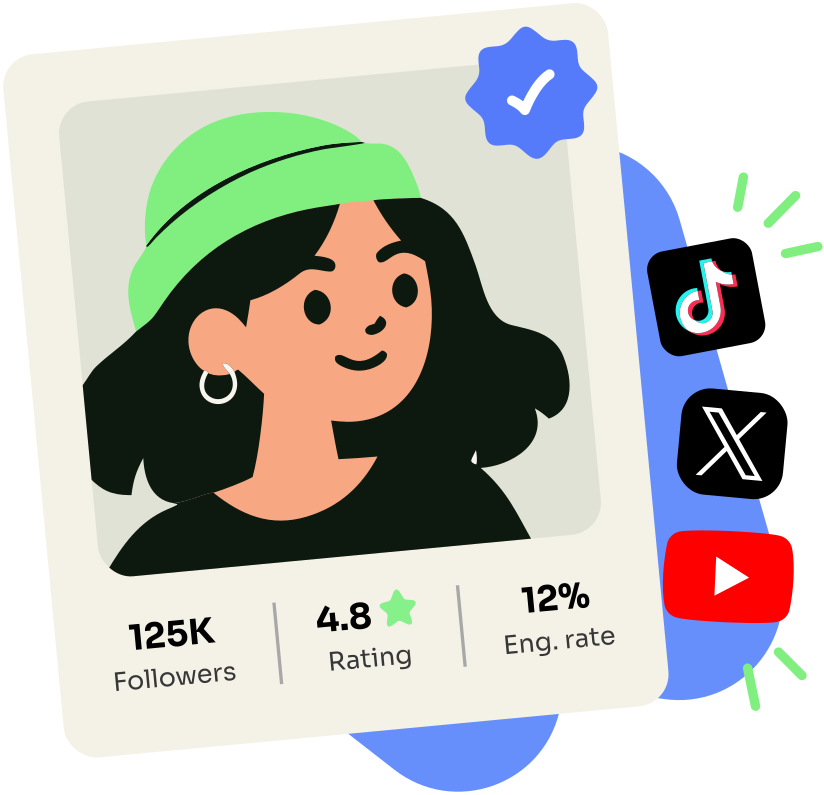
Find and vet creators
Check reach and engagement before you reach out.
Turn video into searchable text
Transcribe and index video and audio content so you can find the exact moment you need.

Track public communities
Follow the subreddits, groups, and channels where your audience talks.

Monthly credits vs prepaid social lookups
ScrapingBee: Freelance $49/mo (250k credits), Startup $99 (1M), Business $249 (3M). JS rendering defaults to 5 credits; premium/stealth can reach 75. Monthly credits reset. Social Fetch Scale: $379/230k non-expiring credits.
Free start
- Social Fetch
- 100 credits, no card, no expiry
- ScrapingBee
- 1,000 API credits trial, no card
Cheapest paid tier
- Social Fetch
- $1.35/1k (Scale Annual, billed yearly)
- ScrapingBee
- $49/mo for 250k credits
1,000 JS-rendered page fetches (Freelance math)
- Social Fetch
- N/A
- ScrapingBee
- ~$0.98 (5 credits × 1,000 ÷ 250k × $49)
1,000 structured social profiles
- Social Fetch
- ~$1.64
- ScrapingBee
- Scrape cost + your parsers + monthly plan floor
Credits roll over?
- Social Fetch
- Yes — PAYG packs never expire
- ScrapingBee
- No — monthly allotment resets
Stealth / hard anti-bot modes
- Social Fetch
- Handled on our social routes
- ScrapingBee
- Available; can cost tens of credits per request
| Scenario | Social Fetch | ScrapingBee |
|---|---|---|
| Free start | 100 credits, no card, no expiry | 1,000 API credits trial, no card |
| Cheapest paid tier | $1.35/1k (Scale Annual, billed yearly) | $49/mo for 250k credits |
| 1,000 JS-rendered page fetches (Freelance math) | N/A | ~$0.98 (5 credits × 1,000 ÷ 250k × $49) |
| 1,000 structured social profiles | ~$1.64 | Scrape cost + your parsers + monthly plan floor |
| Credits roll over? | Yes — PAYG packs never expire | No — monthly allotment resets |
| Stealth / hard anti-bot modes | Handled on our social routes | Available; can cost tens of credits per request |
ScrapingBee prices checked 21 July 2026. How we priced this, with sources
Pricing
Social data, priced simply.
Start with 100 free credits. Monthly plans give you predictable volume and lower per-request rates.
Starter
1,000credits
$14.00 per 1k · $0.0140 per request
- Prove one workflow before you buy more
- All 25 platforms on one API key
Growth
25,000credits
$2.36 per 1k · $0.00236 per request
- For a project or one-off batch job
- Better per-credit rate than the Starter pack
Scale
230,000credits
$1.64 per 1k · $0.00164 per request
- For a large one-time job
- Best pack rate of the three — includes bonus credits
Need 1M+ credits, invoicing, or volume rates? Talk to us
Trust signals
DevHunt
Product Hunt
Uneed
Social Fetch vs ScrapingBee, side by side.
How each product expects you to integrate, what you're billed for, and which capabilities come as standard.
Product shape
- Social Fetch
- Social REST API (profiles, posts, comments…)
- ScrapingBee
- Web scraping API (HTML, screenshots, Google Search API)
Default billing unit
- Social Fetch
- 1 credit ≈ 1 completed standard lookup
- ScrapingBee
- API credits (JS rendering alone is 5 credits by default)
Entry paid plan
- Social Fetch
- $14 Starter pack (1k credits, never expire)
- ScrapingBee
- $49/mo Freelance (250k credits, monthly)
Effective cost for JS pages
- Social Fetch
- N/A — structured social routes
- ScrapingBee
- ~$0.98/1k pages on Freelance if every call costs 5 credits
Social schema
- Social Fetch
- Documented fields across platforms
- ScrapingBee
- You parse HTML or write extraction rules
Best fit
- Social Fetch
- App features powered by social data
- ScrapingBee
- General website scraping with proxy + browser handling
| Row | Social Fetch | ScrapingBee |
|---|---|---|
| Product shape | Social REST API (profiles, posts, comments…) | Web scraping API (HTML, screenshots, Google Search API) |
| Default billing unit | 1 credit ≈ 1 completed standard lookup | API credits (JS rendering alone is 5 credits by default) |
| Entry paid plan | $14 Starter pack (1k credits, never expire) | $49/mo Freelance (250k credits, monthly) |
| Effective cost for JS pages | N/A — structured social routes | ~$0.98/1k pages on Freelance if every call costs 5 credits |
| Social schema | Documented fields across platforms | You parse HTML or write extraction rules |
| Best fit | App features powered by social data | General website scraping with proxy + browser handling |
| Capability | Social Fetch | ScrapingBee |
|---|---|---|
| Synchronous REST JSON (no actor run polling) | ||
| One API key for all platforms | ||
| Unified schema across platforms | ||
| Public OpenAPI specification | ||
| Official TypeScript SDK | ||
| Interactive API playground | ||
| TikTok, Instagram, YouTube, LinkedIn, Facebook, Reddit, X in one vendor | ||
| Pay-as-you-go without required monthly subscription | ||
| PAYG credits never expire | ||
| Web fetch (markdown/HTML) in same product | ||
| Scheduled account / feed monitors | ||
| Signed webhooks when watched accounts post |
Customers
Teams building on Social Fetch.
“Our TikTok and Instagram scrapers broke constantly. Social Fetch took us off that rotation — we ship product again.”
“Transcripts at volume from one endpoint. No broken scrapers for our small team to maintain.”
“Live profile data on every request. We never flag accounts from a stale cache.”
“Heavy concurrent load, no rate limits to negotiate. The rare API I haven't wrapped in retries.”
Which one should you pick?
If the ScrapingBee list sounds like you, ScrapingBee is probably the better buy — and that's fine.
Pick Social Fetch if…
- You want PAYG credits that never expire instead of a monthly scrape allotment
- Product UX needs JSON in the same HTTP response, not HTML to parse
- JS/premium multipliers make DIY social pages expensive relative to flat lookups
- Finance can budget from lookup count without a credit-mode spreadsheet
- Social enrichment is recurring product traffic, not a one-off crawl
Pick ScrapingBee if…
- You are scraping arbitrary websites, not primarily social entities
- You need screenshots, Google Search API, or custom JS scenarios in the browser
- Your pipeline already parses HTML and you only need transport + proxies
- Steady monthly scrape volume fits a subscription credit pool
- SOC2-oriented procurement prefers ScrapingBee's compliance packaging for general scraping
Social Fetch vs ScrapingBee: common questions
Migration, billing surprises, and what changes when you add a second platform.
Is ScrapingBee cheaper for Instagram profiles?
A simple JS-rendered fetch on Freelance can land under $1 per 1,000 pages on paper. That number excludes your parser maintenance, retries when markup changes, and higher credit modes for hard pages. Social Fetch at $1.64/1k returns structured profile JSON. For production social features, fully loaded cost usually favors Social Fetch.
Does Social Fetch render JavaScript like ScrapingBee?
You do not configure rendering. We return structured data from our social extraction layer. If you need raw HTML from an arbitrary URL, use ScrapingBee or our separate web fetch routes where they fit — not as a substitute for social profile endpoints.
Do ScrapingBee credits expire?
Monthly plan credits are tied to the billing period and do not roll over. Social Fetch pay-as-you-go pack credits never expire. Subscription included credits on Social Fetch monthly plans reset each period like other SaaS allotments; annual plans carry unused credits forward for one month.
Can I use both?
Yes. Common pattern: ScrapingBee for general websites and SERP-style jobs, Social Fetch for TikTok/Instagram/YouTube/LinkedIn entity lookups inside the product.
Does ScrapingBee offer a social media API?
ScrapingBee is positioned as a web scraping API with browser and proxy features. Social coverage is "scrape the page," not a catalog of normalized social endpoints.
What does Social Fetch charge for failed lookups?
Completed lookups that return not_found still consume a credit (we ran the lookup). lookup_failed and 503 temporarily_unavailable are not charged.
The detailed Social Fetch vs ScrapingBee comparisonHow ScrapingBee works, where the costs come from, and when to keep it.
ScrapingBee is a browser-and-proxy API for any URL
Send a URL with render JS, selectors, premium proxies, or screenshots — get the page back. Good for blogs, SERPs, and product pages.
Social networks are more URLs in that model. Instagram HTML is not { username, followerCount, biography }. ScrapingBee fetches; you extract fields and handle layout changes.
Social Fetch stops at structured public social data — not a general web scraper.
Why the credit math surprises people
Plans advertise hundreds of thousands of credits, but JS-on defaults to 5 credits per request; premium/stealth multiplies further. A 250k-credit plan may be 50k rendered pages — or fewer on hard targets. Monthly reset burns unused credits on quiet weeks.
Social Fetch PAYG packs sit until you use them.
Credits that match product traffic, not scrape modes
When a PM asks for TikTok + Instagram + YouTube cards, JS (5 credits) and premium proxies stack; monthly credits vanish on quiet weeks.
Social Fetch: one credit per standard lookup, Scale $1.64/1k, packs never expire. Keep ScrapingBee for non-social URLs; point social entities at Social Fetch.
Where they win
ScrapingBee for occasional HTML you already parse, screenshots, Google Search API, or custom JS scenarios. Social Fetch when social enrichment is a product line item with flat credits and no 5×–75× mode table.
Bottom line: Page scraper vs social data API
ScrapingBee is a solid headless scraping API. Social Fetch is a solid social data API. Comparing them on raw "$/1k credits" misses the product boundary: one returns pages, the other returns social objects. Use ScrapingBee for the open web. Use Social Fetch when the object you need is a creator, post, or comment thread.
Methodology and sourcesHow we priced each scenario, and where every ScrapingBee figure comes from. Checked 21 July 2026.
Sources
ScrapingBee pricing from scrapingbee.com/pricing and help.scrapingbee.com plan articles (July 2026). Credit multipliers from ScrapingBee docs (JS default 5 credits; premium/stealth higher). Confirm current multipliers before budgeting.
ScrapingBee is a trademark of its owner. Social Fetch is not affiliated with, endorsed by or sponsored by ScrapingBee. Details about ScrapingBee come from public sources checked on 21 July 2026.
See the response for yourself.
Run a real lookup in the playground before you migrate anything. 100 free credits, no card, and the JSON comes back in the same request.
No credit cardSign up in 30 seconds withGoogleGitHub