Tutorial · curl
How to scrape X (Twitter) profiles with curl (2026)
A curl walkthrough for GET /v1/twitter/profiles/{handle}. Copy the snippet, run it, then read the JSON.
GET /v1/twitter/profiles/{handle} · 1 credit
In this tutorial
You'll pull a public X (Twitter) profile and see the fields you get back.
Typical job: enriching leads. Look up a public X handle before you spend credits on its posts. When lookupStatus is found, store the display name, bio and follower counts, and fetch posts (/profiles/{handle}/tweets) only when you need them. You don't need an X developer app; your Social Fetch key is enough.
Step 1
Get ready
Create a Social Fetch API key and get curl ready. New accounts include 100 free credits.
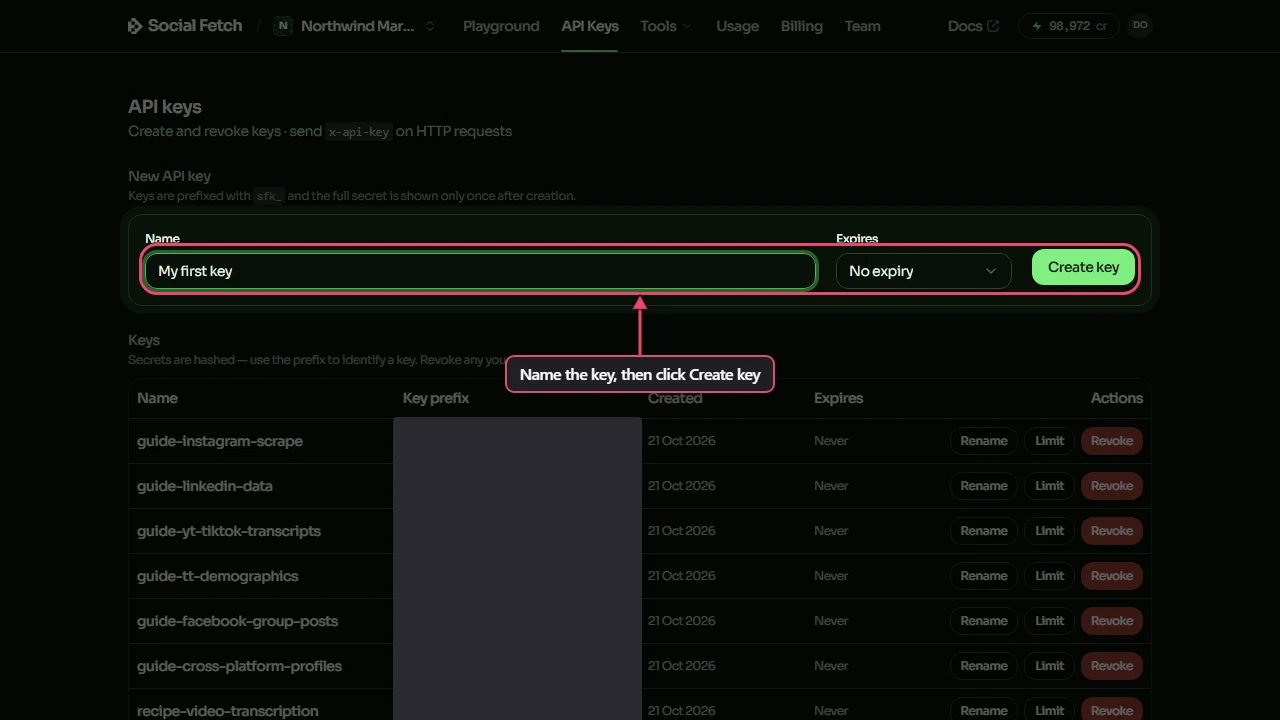
API key. Create a Social Fetch account, open API Keys and create a key. New accounts include 100 free credits.
curl setup. Any shell with curl. Set SOCIALFETCH_API_KEY to your key (export SOCIALFETCH_API_KEY=sfk_…) before you run the sample.
When you're done, SOCIALFETCH_API_KEY is set in your shell.
Step 2
Make the request
Copy the curl sample and run it. It calls GET /v1/twitter/profiles/{handle} with your key in the x-api-key header, using this example: /v1/twitter/profiles/elonmusk.
It prints the JSON response. With -sS, curl stays quiet on success but still prints connection errors.
Step 3
Read the response
The response is JSON with two parts: data holds the profiles and meta holds creditsCharged and requestId. The sample below is a trimmed copy of a real response; the endpoint page lists every field. Credits are charged on completed lookups, not on failed requests.
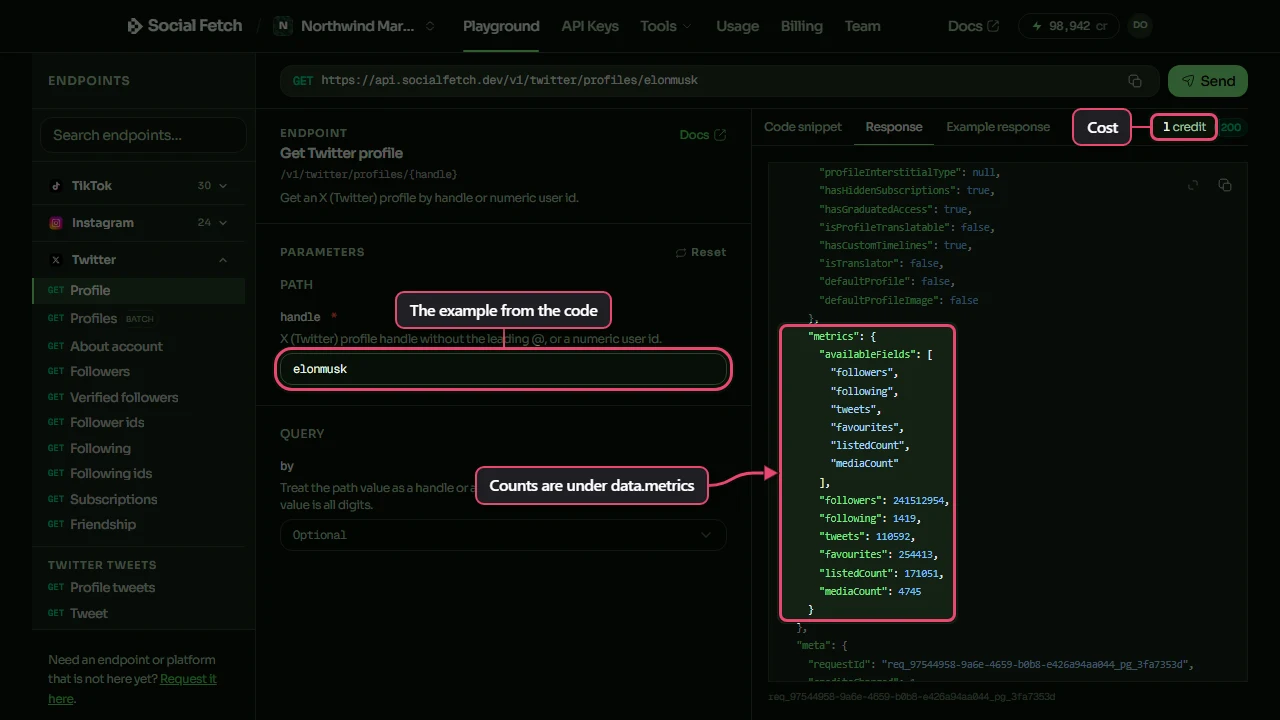
Check data.lookupStatus first when the response has one. Keep meta.requestId in case a row looks wrong.
Watch out
a profile lookup doesn't include posts. Stop before /profiles/{handle}/tweets when a handle is not_found or private. data.metrics.availableFields lists which counts X actually reported.
Step 4
You finished
The Playground, the docs and your code all call the same endpoint at the same price. Pick a next step below.
FAQ
Common questions
Do I need an official X (Twitter) developer account?
No. Social Fetch authenticates with your Social Fetch API key. You call GET /v1/twitter/profiles/{handle} and we handle the lookup. You still need to follow each platform's terms for how you use public data.
What does the X (Twitter) profiles endpoint return?
JSON with two parts: data holds the profiles and meta holds creditsCharged and requestId. The endpoint page and the API docs describe every field.
Is an X profile lookup the same as listing that user's tweets?
No. This endpoint returns the profile only. To list a handle's posts, use GET /v1/twitter/profiles/{handle}/tweets, a separate call with its own cost.
Do I need an X developer app or Bearer token for profile lookup?
No. You only need your Social Fetch API key, sent as x-api-key. You still need to follow X's terms for how you use public data once you have it.
How much does a successful request cost?
1 credit. Failed requests are free.
Is this okay for production?
Yes. It's the same API the Playground and the docs use: typed errors, a requestId on every response, and credits charged only on completed lookups. New accounts get 100 free credits.
Any curl-specific tips for this request?
Yes. Pass the key with -H "x-api-key: $SOCIALFETCH_API_KEY", and wrap the full URL in double quotes so the shell doesn't split it at the & between query parameters. -sS hides the progress meter but still shows connection errors. curl doesn't treat an HTTP error status as a failure, so read the error JSON it prints, or add --fail-with-body.
Related