Tutorial · curl
How to scrape Truth Social posts with curl (2026)
A curl walkthrough for GET /v1/truthsocial/posts. Copy the snippet, run it, then read the JSON.
GET /v1/truthsocial/posts · 2 credits
In this tutorial
You'll pull a public Truth Social post and see the fields you get back.
Typical job: following up alerts. You have a public Truth Social post URL from a monitor or webhook, and you want its text, author, media and counts. Both /@handle/{id} and /@handle/posts/{id} links work.
Step 1
Get ready
Create a Social Fetch API key and get curl ready. New accounts include 100 free credits.
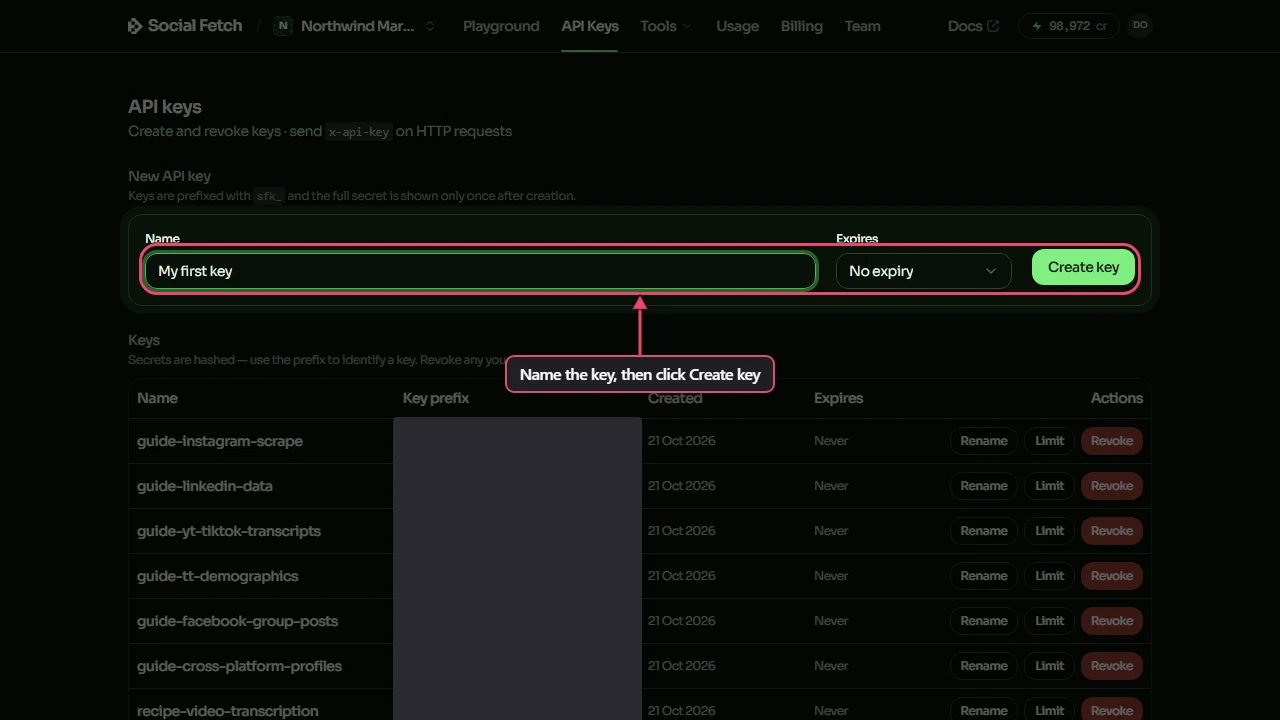
API key. Create a Social Fetch account, open API Keys and create a key. New accounts include 100 free credits.
curl setup. Any shell with curl. Set SOCIALFETCH_API_KEY to your key (export SOCIALFETCH_API_KEY=sfk_…) before you run the sample.
When you're done, SOCIALFETCH_API_KEY is set in your shell.
Step 2
Make the request
Copy the curl sample and run it. It calls GET /v1/truthsocial/posts with your key in the x-api-key header, using this example: /v1/truthsocial/posts?url=https%3A%2F%2Ftruthsocial.com%2F%40justthenews%2F116972401572691045.
It prints the JSON response. With -sS, curl stays quiet on success but still prints connection errors.
Step 3
Read the response
The response is JSON with two parts: data holds the posts and meta holds creditsCharged and requestId. The sample below is a trimmed copy of a real response; the endpoint page lists every field. Credits are charged on completed lookups, not on failed requests.
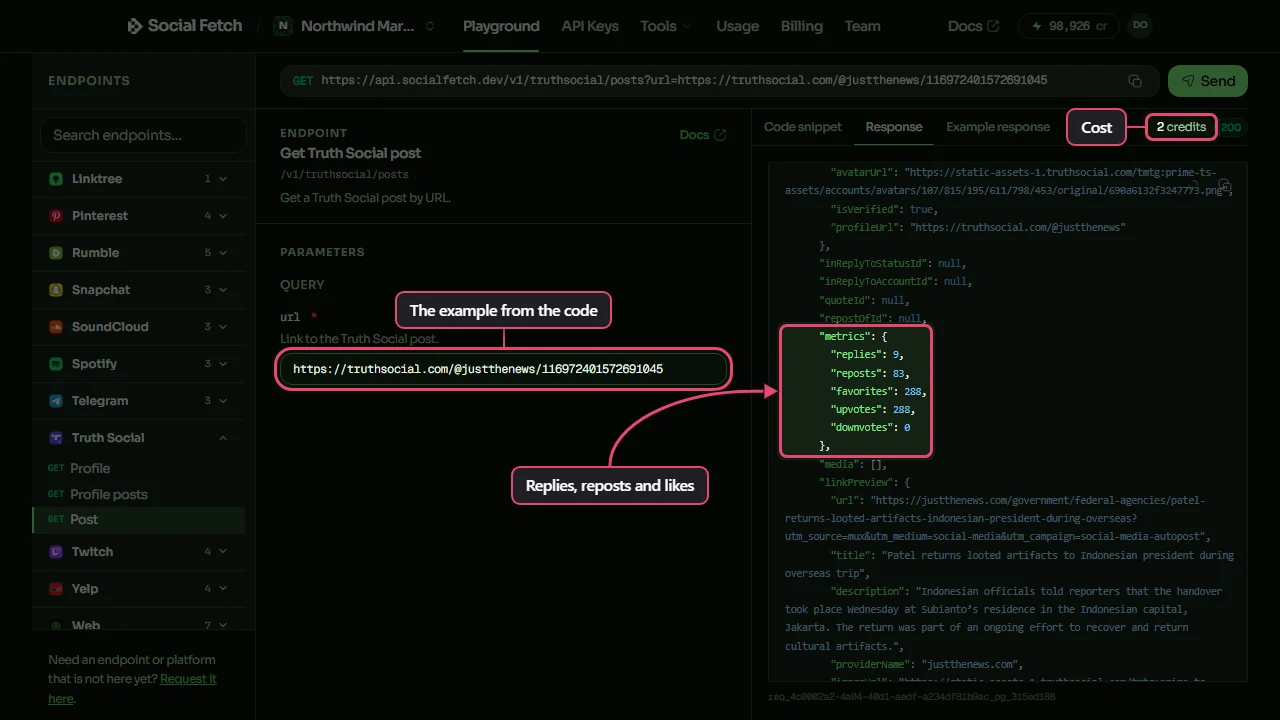
Check data.lookupStatus first when the response has one. Keep meta.requestId in case a row looks wrong.
Watch out
a deleted or missing post returns lookupStatus not_found. This reads one post; for an account's feed use GET /v1/truthsocial/profiles/{handle}/posts with cursor.
Step 4
You finished
The Playground, the docs and your code all call the same endpoint at the same price. Pick a next step below.
FAQ
Common questions
Do I need an official Truth Social developer account?
No. Social Fetch authenticates with your Social Fetch API key. You call GET /v1/truthsocial/posts and we handle the lookup. You still need to follow each platform's terms for how you use public data.
What does the Truth Social posts endpoint return?
JSON with two parts: data holds the posts and meta holds creditsCharged and requestId. The endpoint page and the API docs describe every field.
What Truth Social post URL formats work?
Pass the full public post URL as the url query parameter, in the form /@handle/{id} or /@handle/posts/{id}. Check lookupStatus before you read data.post.
Is this the same as listing a profile's posts?
No. This route reads one post by URL. To page through an account's public posts, use GET /v1/truthsocial/profiles/{handle}/posts.
How much does a successful request cost?
2 credits. Failed requests are free.
Is this okay for production?
Yes. It's the same API the Playground and the docs use: typed errors, a requestId on every response, and credits charged only on completed lookups. New accounts get 100 free credits.
Any curl-specific tips for this request?
Yes. Pass the key with -H "x-api-key: $SOCIALFETCH_API_KEY", and wrap the full URL in double quotes so the shell doesn't split it at the & between query parameters. -sS hides the progress meter but still shows connection errors. curl doesn't treat an HTTP error status as a failure, so read the error JSON it prints, or add --fail-with-body.
Related