Tutorial · Python
How to scrape TikTok profiles with Python (2026)
A Python walkthrough for GET /v1/tiktok/profiles/{handle}. Copy the snippet, run it, then read the JSON.
GET /v1/tiktok/profiles/{handle} · 1 credit
In this tutorial
You'll pull a public TikTok profile and see the fields you get back.
Typical job: a nightly refresh of a creator list. You have @handles from outreach or TikTok Shop, and you update each one's bio, verification and follower counts. Pass the handle with or without the @. Only fetch a handle's videos (/profiles/{handle}/videos) when lookupStatus is found.
Step 1
Get ready
Create a Social Fetch API key and get Python ready. New accounts include 100 free credits.
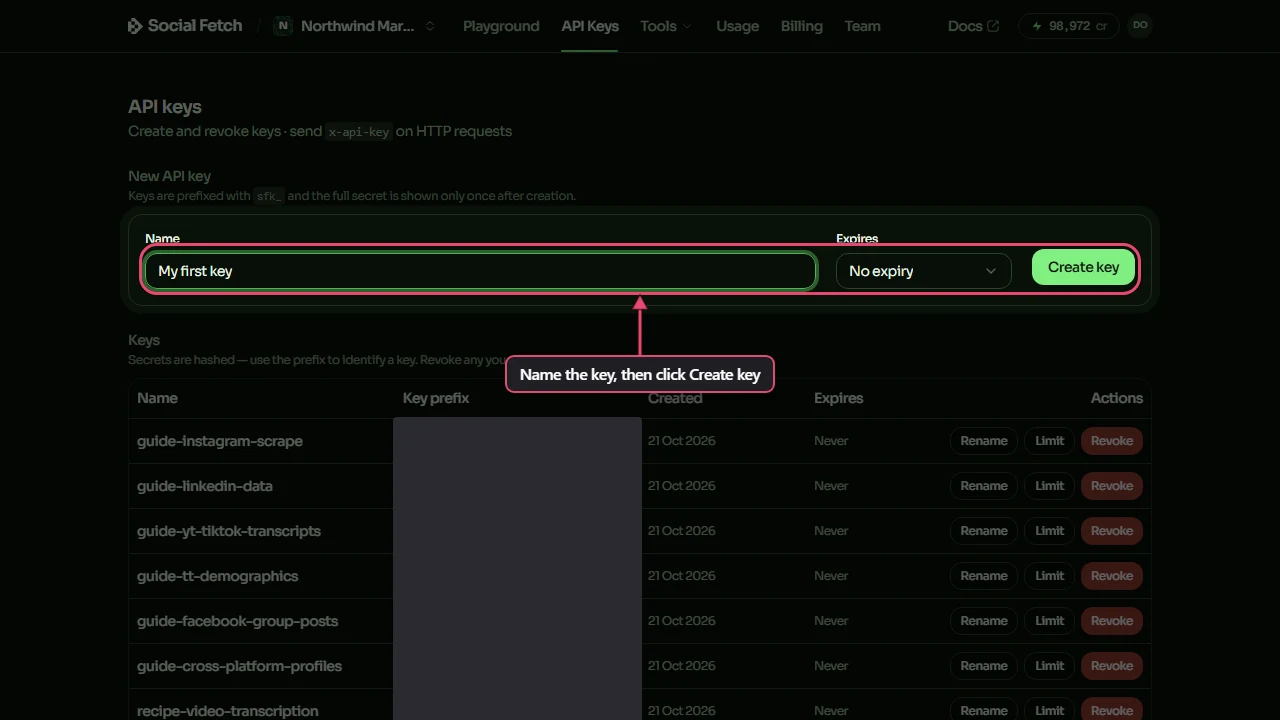
API key. Create a Social Fetch account, open API Keys and create a key. New accounts include 100 free credits.
Python setup. Python 3 with requests installed (pip install requests). Set SOCIALFETCH_API_KEY to your key.
When you're done, SOCIALFETCH_API_KEY is set in your shell.
Step 2
Make the request
Copy the Python sample and run it. It calls GET /v1/tiktok/profiles/{handle} with your key in the x-api-key header, using this example: /v1/tiktok/profiles/mkbhd.
It prints the response as a Python dict with data and meta. An error status stops the script at raise_for_status() instead.
Step 3
Read the response
The response is JSON with two parts: data holds the profiles and meta holds creditsCharged and requestId. The sample below is a trimmed copy of a real response; the endpoint page lists every field. Credits are charged on completed lookups, not on failed requests.
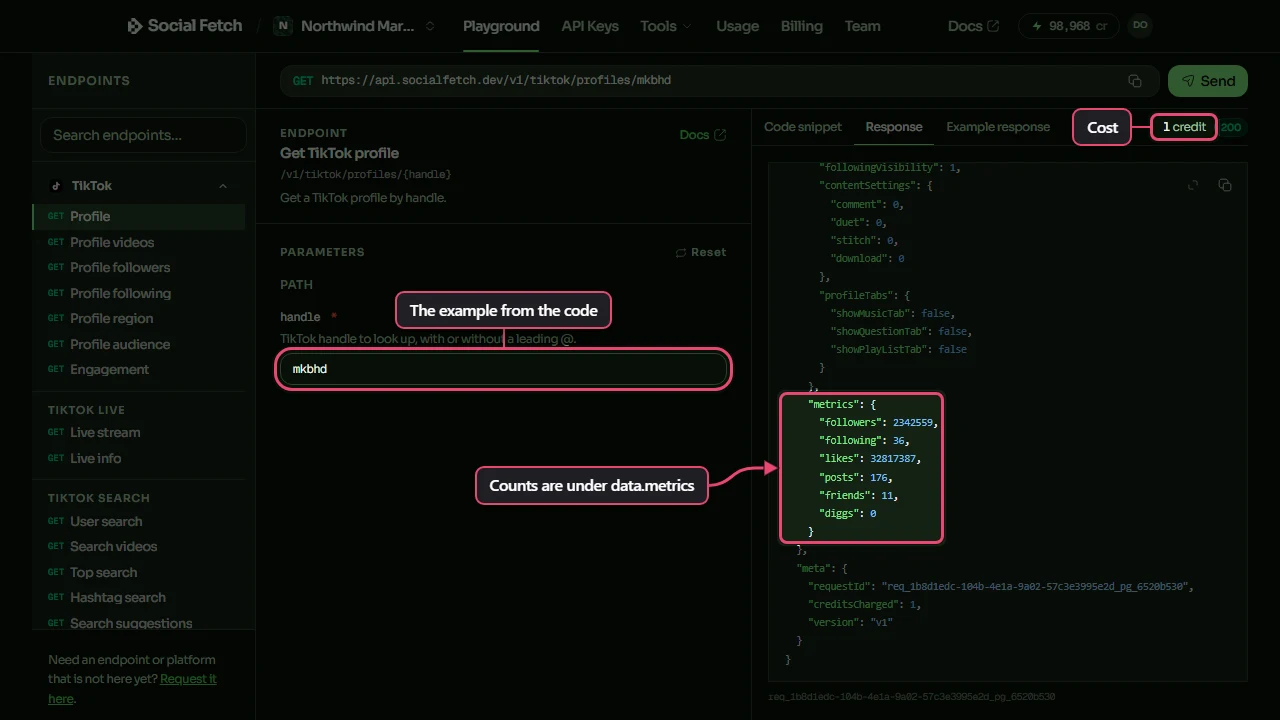
Check data.lookupStatus first when the response has one. Keep meta.requestId in case a row looks wrong.
Watch out
an HTTP 200 with lookupStatus private isn't a full public profile, so don't store it as one. not_found means no account has that handle. Check the handle before you spend credits on videos, followers or Shop lookups.
Step 4
You finished
The Playground, the docs and your code all call the same endpoint at the same price. Pick a next step below.
FAQ
Common questions
Do I need an official TikTok developer account?
No. Social Fetch authenticates with your Social Fetch API key. You call GET /v1/tiktok/profiles/{handle} and we handle the lookup. You still need to follow each platform's terms for how you use public data.
What does the TikTok profiles endpoint return?
JSON with two parts: data holds the profiles and meta holds creditsCharged and requestId. The endpoint page and the API docs describe every field.
What does lookupStatus mean on a TikTok profile?
found means you got the public profile and its counts. not_found means no public account has that handle. private means the account is private: some fields may still appear, but don't treat it as a full public profile. Check lookupStatus before you store anything.
Should I look up the TikTok profile before listing that handle's videos?
Yes, when you need to know whether the account exists, is private or wasn't found before you read an empty video list. The profile lookup tells you who the account is; GET /v1/tiktok/profiles/{handle}/videos is a separate call for their recent uploads.
How much does a successful request cost?
1 credit. Failed requests are free.
Is this okay for production?
Yes. It's the same API the Playground and the docs use: typed errors, a requestId on every response, and credits charged only on completed lookups. New accounts get 100 free credits.
Any Python-specific tips for this request?
Yes. Call response.raise_for_status() before response.json(), set a timeout on requests.get, and keep response.json()["meta"]["requestId"] when a row looks wrong.
Related