Tutorial · Node.js
How to scrape Hacker News stories with Node.js (2026)
A Node.js walkthrough for GET /v1/hackernews/stories/{id}. Copy the snippet, run it, then read the JSON.
GET /v1/hackernews/stories/{id} · 1 credit
In this tutorial
You'll pull a public Hacker News story and see the fields you get back.
Typical job: filling in a digest. Take a story id from search, a feed or an alert, and fetch its title, score, link and author, then its comments with stories/{id}/comments if you need them. The Dropbox launch post (8863) is a good id to test with.
Step 1
Get ready
Create a Social Fetch API key and get Node.js ready. New accounts include 100 free credits.
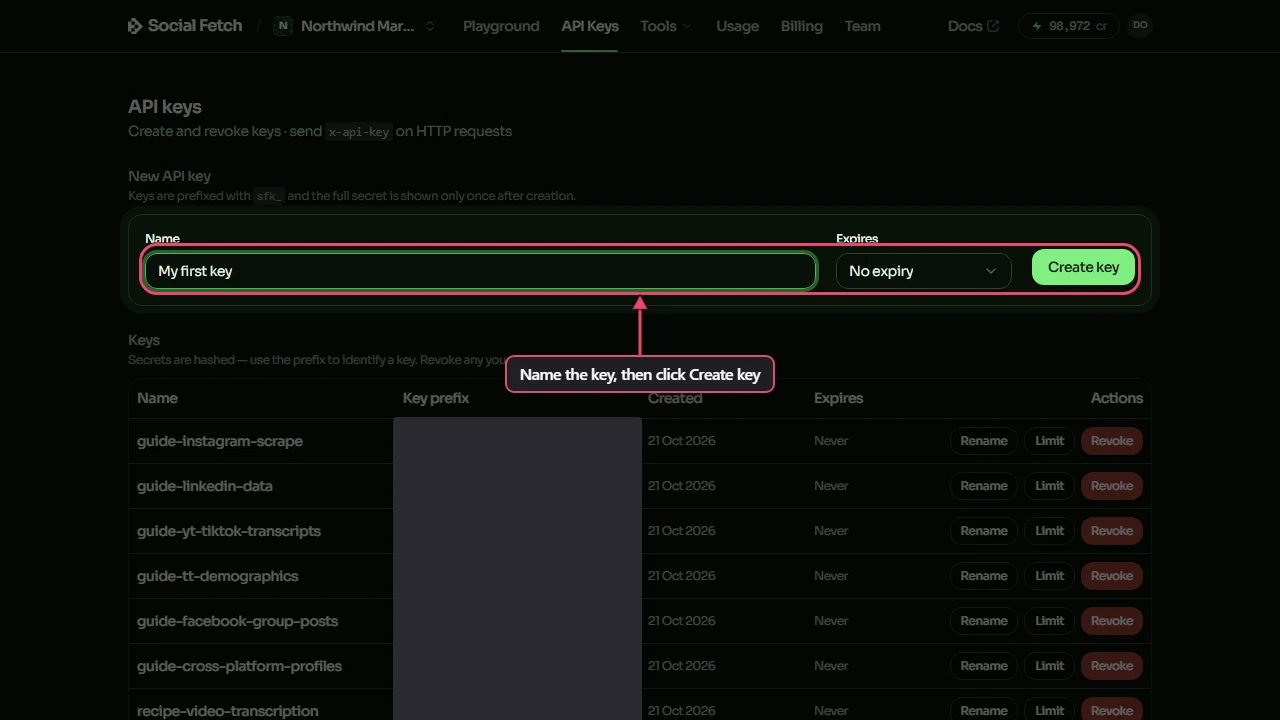
API key. Create a Social Fetch account, open API Keys and create a key. New accounts include 100 free credits.
Node.js setup. Node 18 or later, which has fetch built in. Save the sample as an .mjs file so top-level await works, and set SOCIALFETCH_API_KEY to your key.
When you're done, SOCIALFETCH_API_KEY is set in your shell.
Step 2
Make the request
Copy the Node.js sample and run it. It calls GET /v1/hackernews/stories/{id} with your key in the x-api-key header, using this example: /v1/hackernews/stories/8863.
It prints the JSON response. An error status throws with the error body instead, because the sample checks response.ok first.
Step 3
Read the response
The response is JSON with two parts: data holds the stories and meta holds creditsCharged and requestId. The sample below is a trimmed copy of a real response; the endpoint page lists every field. Credits are charged on completed lookups, not on failed requests.
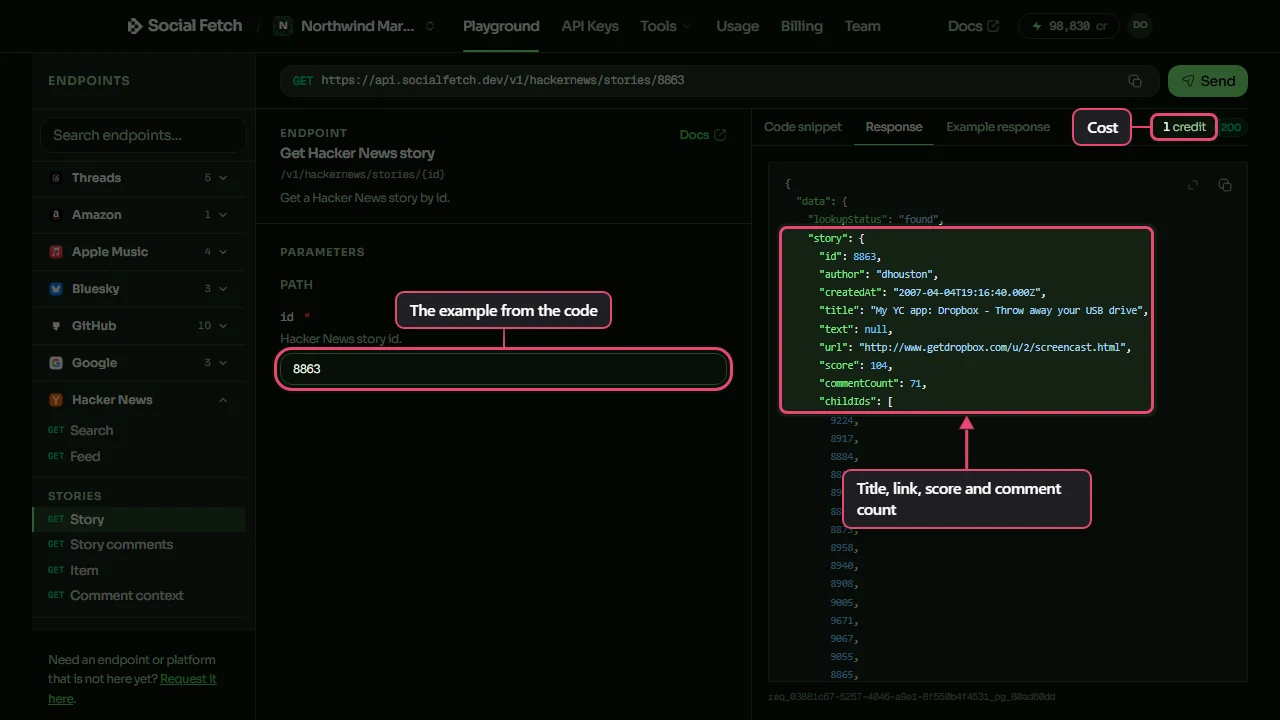
Check data.lookupStatus first when the response has one. Keep meta.requestId in case a row looks wrong.
Watch out
not_story means the id belongs to a comment or job, not a story; use GET /v1/hackernews/items/{id} for any kind of item. Comments are a separate, paged call.
Step 4
You finished
The Playground, the docs and your code all call the same endpoint at the same price. Pick a next step below.
FAQ
Common questions
Do I need an official Hacker News developer account?
No. Social Fetch authenticates with your Social Fetch API key. You call GET /v1/hackernews/stories/{id} and we handle the lookup. You still need to follow each platform's terms for how you use public data.
What does the Hacker News stories endpoint return?
JSON with two parts: data holds the stories and meta holds creditsCharged and requestId. The endpoint page and the API docs describe every field.
Story get vs item get on Hacker News?
GET /v1/hackernews/stories/{id} expects a story and returns not_story when the id is something else. GET /v1/hackernews/items/{id} returns any Hacker News item, whatever its type.
Does story get include the full comment tree?
No. It returns the story and the ids of its top-level comments (childIds). Use GET /v1/hackernews/stories/{id}/comments to page through the comments.
How much does a successful request cost?
1 credit. Failed requests are free.
Is this okay for production?
Yes. It's the same API the Playground and the docs use: typed errors, a requestId on every response, and credits charged only on completed lookups. New accounts get 100 free credits.
Any Node.js-specific tips for this request?
Yes. Native fetch doesn't throw on 4xx or 5xx responses, so check response.ok (or status) before parsing JSON. Keep meta.requestId from the body in case you need support with a row.
Related