TikTok scraper jobs — public profiles, videos, comments, search — usually want JSON without standing up Playwright against tiktok.com. This guide covers /v1/tiktok/**, plus what DIY browser scraping and TikTok's official APIs involve on this platform. Generic build-vs-buy: Social Fetch vs DIY scraping. Product hub: TikTok scraper API.
The shortest path is a single request:
curl -sS \
  -H "x-api-key: $SOCIALFETCH_API_KEY" \
  "https://api.socialfetch.dev/v1/tiktok/profiles/charlidamelio"
You'll need an API key and curl or the TypeScript SDK. New to the API? Start with the Quickstart.
DIY browser scraping on TikTok
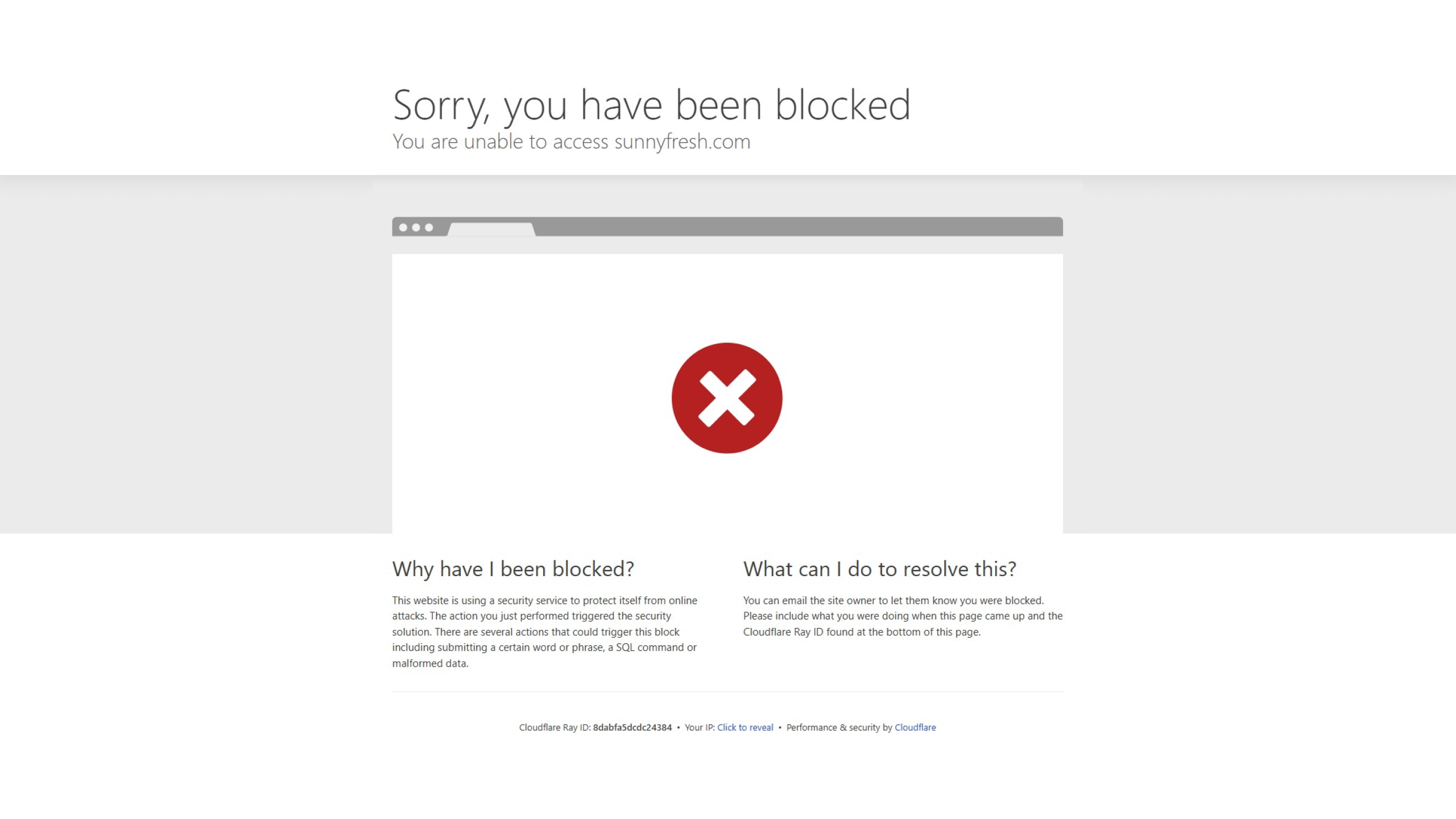
A plain fetch() to tiktok.com gets blocked almost immediately — TikTok's WAF inspects your TLS fingerprint (JA3/JA4) and a stock HTTP client doesn't match a real browser. Profile data isn't in the DOM; it lives in a __UNIVERSAL_DATA_FOR_REHYDRATION__ blob you have to locate and parse.
from playwright.async_api import async_playwright
import asyncio, random

async def scrape_profile(username: str):
    async with async_playwright() as p:
        browser = await p.chromium.launch(
            headless=False,  # headed sessions trip fewer detection flags
            proxy={
                "server": "http://residential-proxy.example:9000",
                "username": "user",
                "password": "pass",
            },
        )
        context = await browser.new_context(
            user_agent=pick_real_user_agent(),  # from a pool of 50+ current strings
            locale="en-US",
            timezone_id="America/New_York",  # must match the proxy's region
        )
        page = await context.new_page()

        # Warm up: behave like a human before hitting the target
        await page.goto("https://www.tiktok.com/", wait_until="networkidle")
        await asyncio.sleep(random.uniform(3.0, 7.0))

        await page.goto(f"https://www.tiktok.com/@{username}", wait_until="networkidle")
        for _ in range(random.randint(2, 5)):
            await page.mouse.wheel(0, random.randint(600, 1200))
            await asyncio.sleep(random.uniform(1.2, 3.5))

        html = await page.content()
        # The data lives in a JSON blob, not the DOM:
        # parse __UNIVERSAL_DATA_FOR_REHYDRATION__ out of the HTML
        await browser.close()
        return html
A working DIY pipeline also needs:
- Residential or mobile proxies. Datacenter IPs are flagged within a few hits.
- Fingerprint patching. Headless Chrome has tell-tale canvas and WebGL signatures — Chrome updates can break your spoofed profile overnight.
- Token plumbing. The hybrid approach (bootstrap cookies, then replay TikTok's internal JSON endpoints) means babysitting an
msTokenthat expires every few minutes. Every403sends you back to launch a browser. - Behavioral pacing. Fixed intervals read as a bot, so you add randomized delays and cap concurrency.
TikTok quietly renames internal endpoints and moves fields between JSON blobs. A scraper that worked Tuesday can return empty arrays Friday.
TikTok official APIs
TikTok's developer platform fits apps inside TikTok's ecosystem — user login, publishing, ads, or approved academic research. None of these are a general "look up this public profile" tool:
- Display API / Embed SDK renders videos and profiles on your site with TikTok's branding — not bulk metadata, comments, or search.
- Research API exposes more (content metadata, public account data, sometimes comments) but is restricted to academic and non-profit researchers, takes weeks to approve, and prohibits commercial use.
- Marketing / Commercial APIs cover ads and business accounts, not arbitrary public creator lookups.
Check TikTok for Developers before building against any of them — terms change often.
Using the Social Fetch API
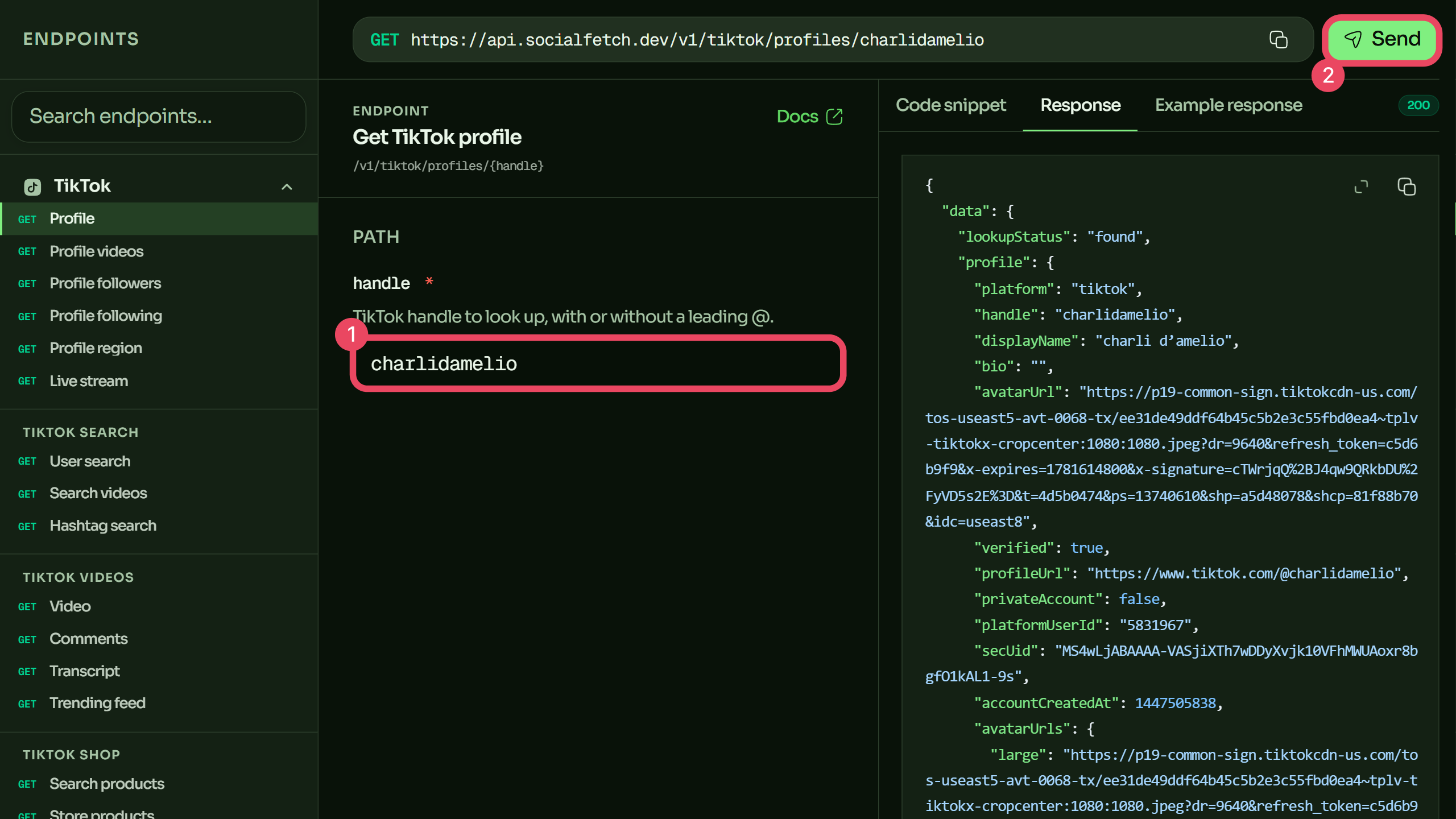
Social Fetch exposes TikTok under documented /v1/tiktok/** routes — profiles, videos, search, comments, transcripts, shop products, and more. One header authenticates every call; responses share the same data + meta envelope across platforms.
Hover underlined tokens for details.
Get a profile
The same lookup in cURL, the TypeScript SDK, Python, and more — switch tabs to match your stack:
const response = await fetch(
  "https://api.socialfetch.dev/v1/tiktok/profiles/charlidamelio",
  {
    headers: {
      "x-api-key": process.env.SOCIALFETCH_API_KEY,
    },
  }
);

const body = await response.json();

console.log(response.status, body);
List a profile's videos
const response = await fetch(
  "https://api.socialfetch.dev/v1/tiktok/profiles/charlidamelio/videos",
  {
    headers: {
      "x-api-key": process.env.SOCIALFETCH_API_KEY,
    },
  }
);

const body = await response.json();

console.log(response.status, body);
Full parameters: Get TikTok profile and Profile videos. Every TikTok operation is in the API reference.
Paginate through everything
Video and comment endpoints return one page plus a cursor. Pass the cursor back verbatim until it's gone:
import { SocialFetchClient } from "@socialfetch/sdk";

const client = new SocialFetchClient({
  apiKey: process.env.SOCIALFETCH_API_KEY!,
});

const allVideos = [];
let cursor: string | undefined;

do {
  const result = await client.tiktok.getProfileVideos({
    handle: "charlidamelio",
    cursor,
  });

  if (!result.ok) {
    console.error(result.error.code, result.error.requestId);
    break;
  }

  allVideos.push(...result.value.data.videos);
  cursor = result.value.data.page.nextCursor ?? undefined;
} while (cursor);
Stop when data.page.nextCursor is null. Don't loop on a total count — upstream totals are estimates. The cursor is the source of truth.
Reading the response
A successful response wraps the payload alongside billing metadata:
{
  "data": {
    "lookupStatus": "found",
    "profile": {
      "handle": "charlidamelio",
      "displayName": "Charli D'Amelio",
      "verified": true
    },
    "metrics": {
      "followers": 155000000,
      "following": 1200,
      "likes": 11800000000,
      "videos": 2800
    }
  },
  "meta": {
    "requestId": "req_01example",
    "creditsCharged": 1,
    "version": "v1"
  }
}
The one gotcha: an HTTP 200 does not guarantee lookupStatus: "found". A private or non-existent account can return 200 with a status field — handle it in application logic. Every response carries meta.requestId for support tracing. See Errors.
What you can build
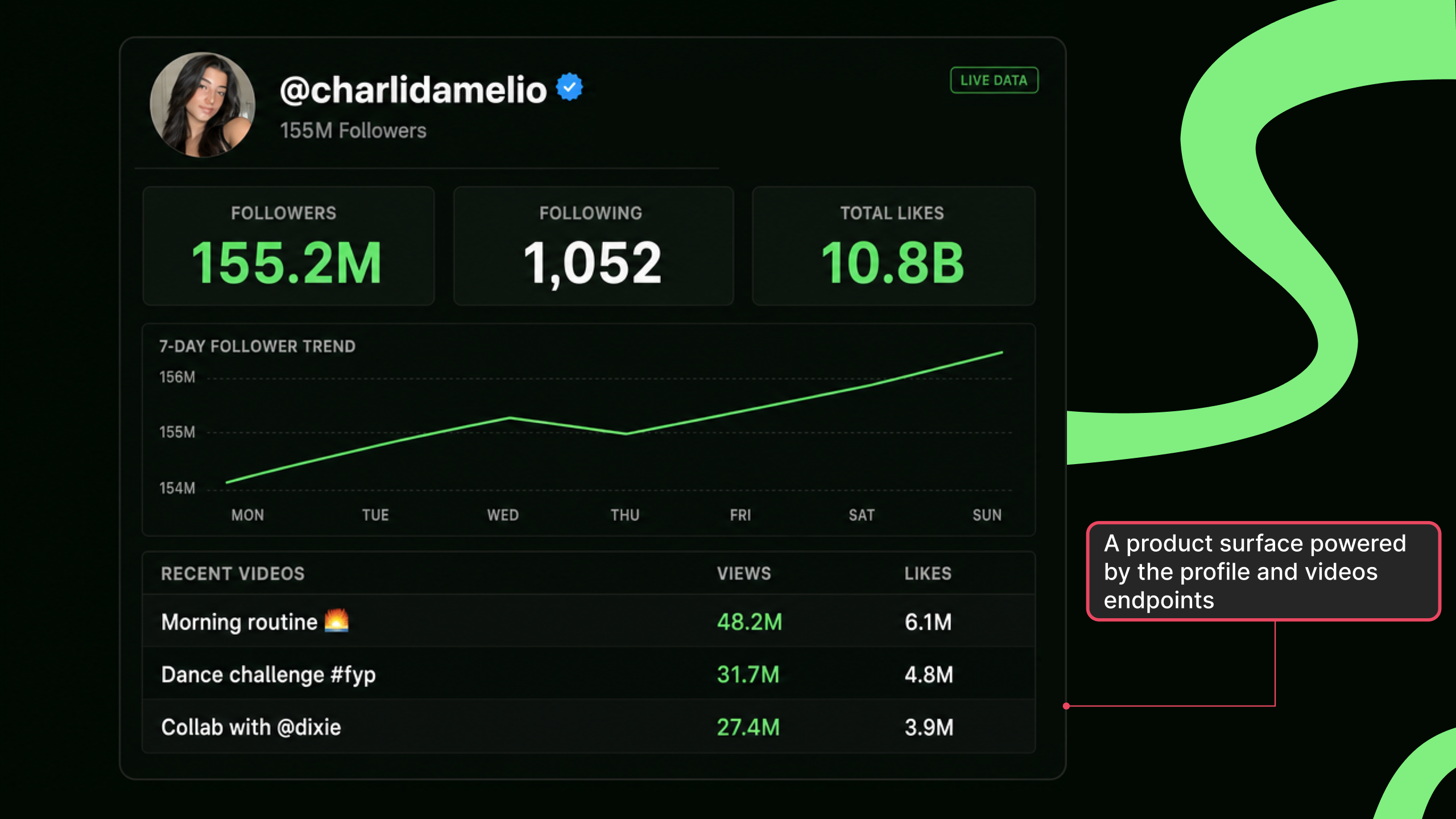
- Influencer vetting — pull profile metrics and recent videos before outreach, and reconcile CRM handles against live numbers.
- Trend monitoring — combine TikTok search with hashtag endpoints to surface emerging topics on a schedule.
- Competitive intelligence — snapshot competitor profiles and video performance weekly across every brand you track.
FAQ
Is scraping TikTok legal?
It depends on your jurisdiction, what data you collect, and how you use it. Collecting public, business-level metrics for B2B analytics is a common pattern, and courts (e.g. hiQ v. LinkedIn) have generally treated public-web data as fair game in several jurisdictions. You remain responsible for TikTok's terms, applicable privacy law, and your own contracts. This is a technical guide, not legal advice — talk to counsel if you're collecting at scale.
Can't I just use TikTok's official API?
Not for public profile and video lookups. The Research API exposes more data but is academic/non-profit only and bars commercial use; the Display and Commercial APIs handle embedding, login, publishing, and ads. For web-parity public data in a generic backend, a data API is the usual fit. See TikTok official APIs.
How fresh is the data?
Each request fetches live from TikTok at call time — there's no cache returning an hour-old snapshot. If a number looks off, meta.requestId lets support trace that specific lookup.
What happens if a profile is private or doesn't exist?
Check data.lookupStatus. Don't treat a 200 alone as "data is present" — a private or missing account returns 200 with a status field. Details in Errors.
How does this compare to other providers?
See the side-by-side comparisons: vs Apify, vs Bright Data, vs EnsembleData, and the full compare hub.
Next steps: Quickstart · TikTok API reference · Get a video transcript · Pricing