Quickstart
Create an account and an API key, run your first lookup in the Playground and with cURL, then read the `{ data, meta }` response and the credits it cost.
Start with your AI tool
Paste this prompt into Cursor, Claude Code, or any AI IDE. It will read the docs and integrate Social Fetch for you.
Start with your AI tool
Paste this prompt into Cursor, Claude Code, or any AI IDE. It will read the docs and integrate Social Fetch for you.
This page takes you from a new account to your first API response. You'll create an API key, run one TikTok profile lookup in the Playground, run the same lookup from your own code, and see what it cost.
Using TypeScript?
Use the TypeScript SDK tab in step 4 for a typed client call, then see the TypeScript SDK guide for Result-based error handling and the full method inventory.
What you need to know first
Every request goes to https://api.socialfetch.dev and paths start with /v1. You prove who you are by sending your API key in an x-api-key header. Keep the key on a server or in your own scripts: never put it in a website's front-end code or a mobile app, where anyone can read it.
1. Create an account
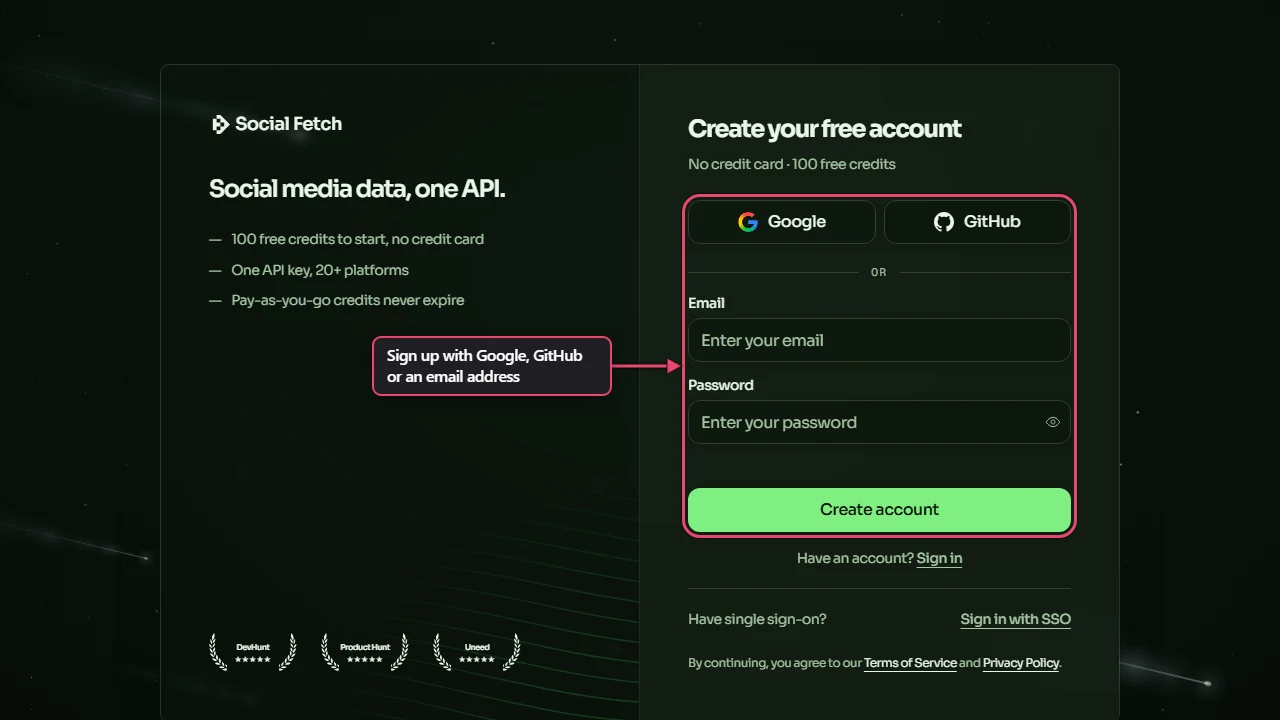
Go to app.socialfetch.dev/signup and sign up with Google, GitHub or an email address and password. New accounts get free credits to try the API, and you don't need a card.
2. Create an API key
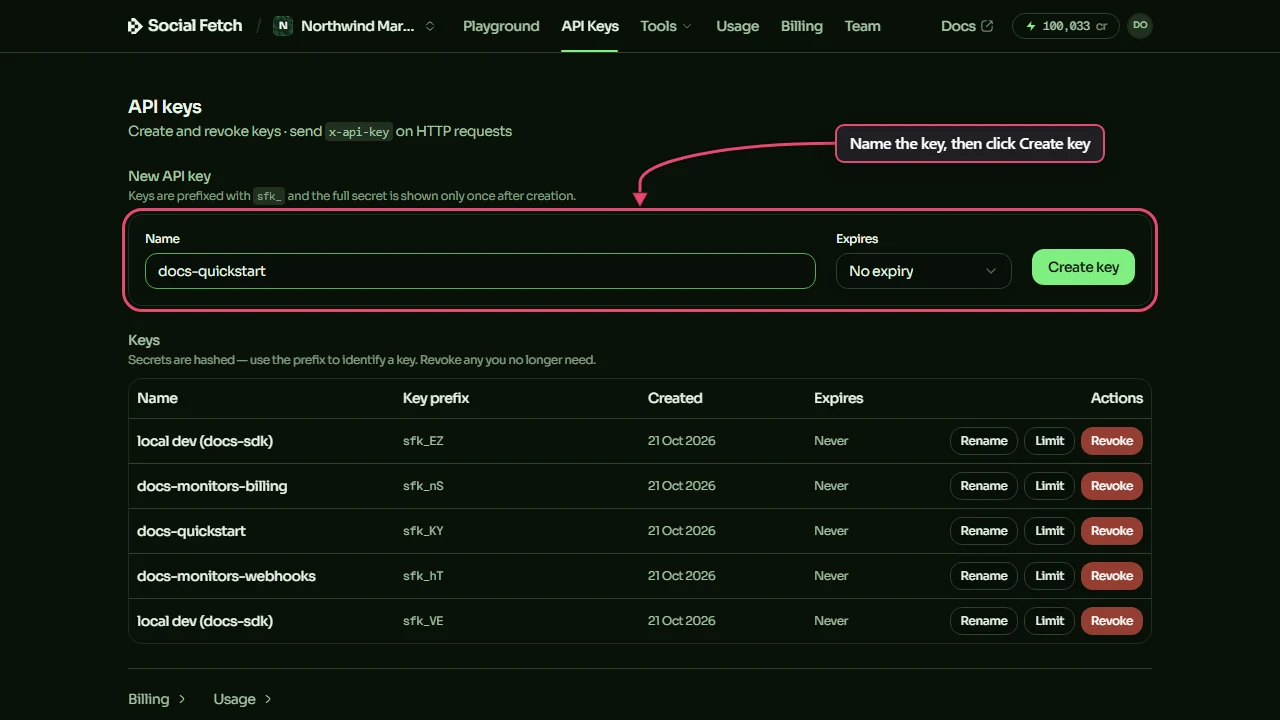
- In the app's top menu, click API Keys.
- Under New API key, type a name you'll recognise later, such as the project or machine the key is for. Leave Expires on No expiry, or pick an expiry date if you only need the key for a while.
- Click Create key.
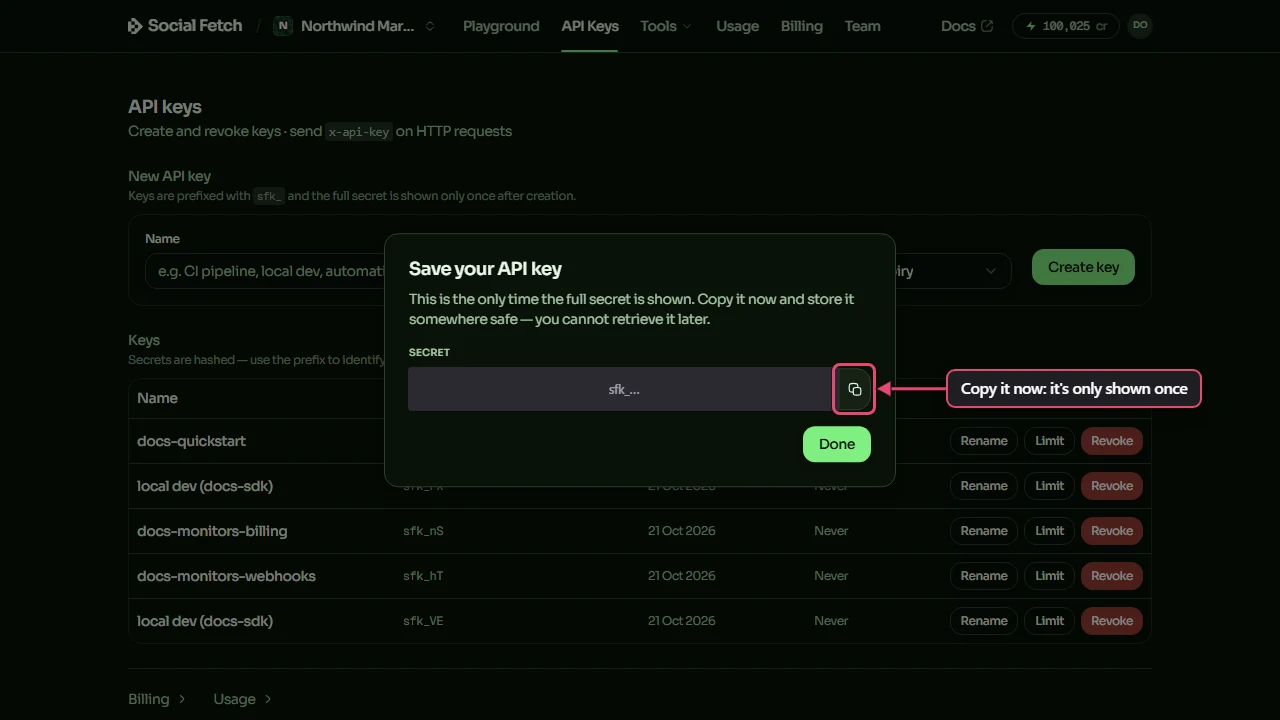
- The Save your API key window shows the full key, which starts with
sfk_. Click the copy button and paste the key somewhere safe, such as a password manager. This is the only time the full key is shown: if you lose it, revoke it and create a new one. - Click Done.
Now put the key in an environment variable named SOCIALFETCH_API_KEY. Every example in these docs, and the TypeScript SDK, reads that name. Use a .env file for app code, or set it in your terminal for one-off requests:
3. Try a request in the Playground
The Playground runs real API requests from the app, so you can see a response before writing any code. It uses your signed-in account, so you don't paste a key into it.
- Click Playground in the top menu. It opens on Get TikTok profile, with the example handle
charlidamelioalready filled in. - Click Send.
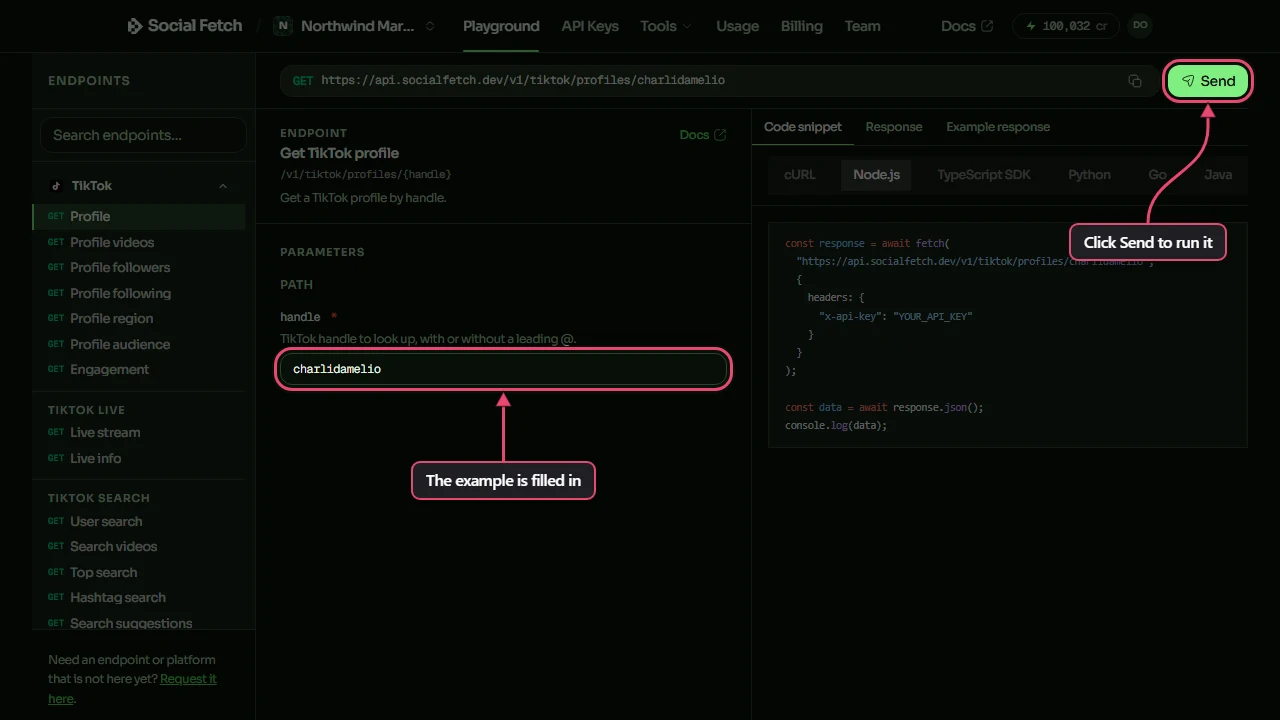
The Response tab shows what came back. Above it are the credits the request cost and the HTTP status. Inside the response, lookupStatus says whether the profile was found, and the request ID is at the bottom.
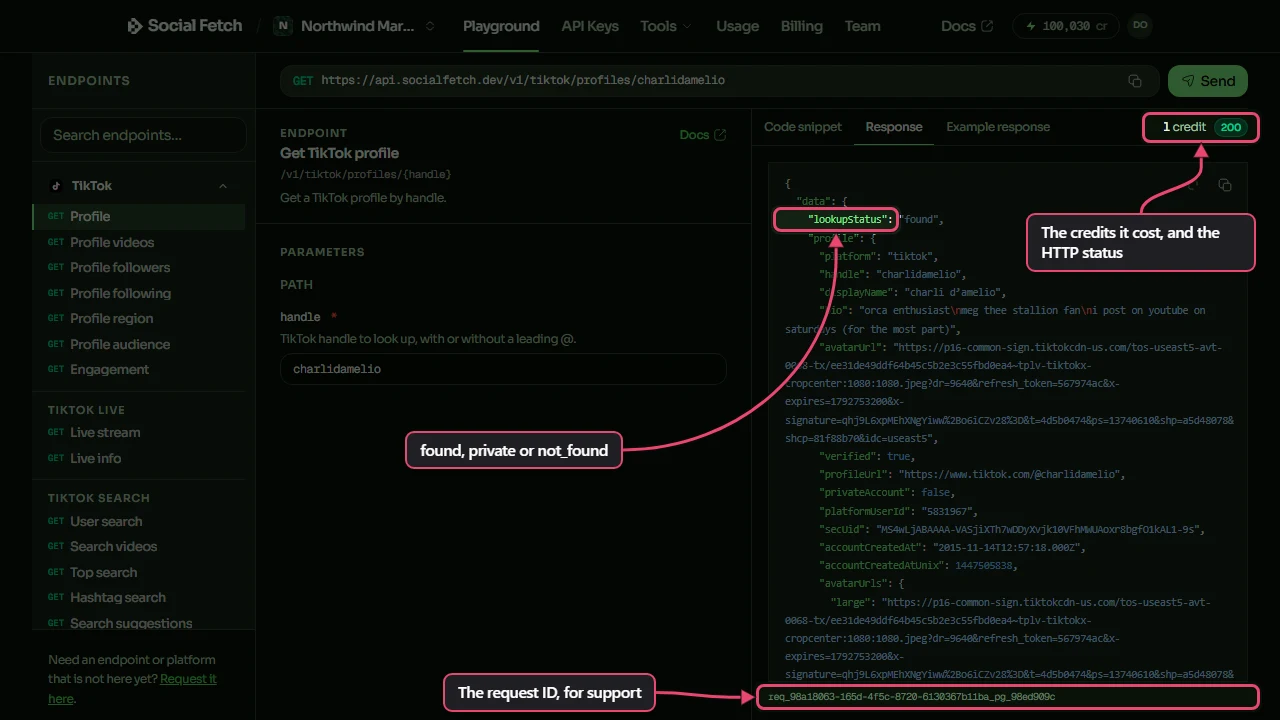
Playground requests are real lookups. They spend credits from your workspace like any other request, and they show up in your request history.
4. Make the same request from code
This is the same lookup, sent with your key. Pick your language, copy the snippet and run it:
A 200 means your key works. A 401 means the key is wrong or has been revoked, and a 402 with the code payment_required means no key was sent. In both cases, check that SOCIALFETCH_API_KEY is set in the terminal or app you ran the code from.
Check a key without spending credits
GET /v1/whoami returns the account and workspace the key belongs to, and GET /v1/balance returns your credit balance. Both are free, so they're a good way to test that a key is set up.
5. Read the response
Every successful response has the same two parts: data, which holds the result, and meta, which describes the request. Here's the lookup from step 4, shortened:
{
  "data": {
    "lookupStatus": "found",
    "profile": {
      "platform": "tiktok",
      "handle": "charlidamelio",
      "displayName": "charli d’amelio",
      "verified": true,
      "profileUrl": "https://www.tiktok.com/@charlidamelio"
    },
    "metrics": {
      "followers": 160356931,
      "following": 1451,
      "likes": 12370184508,
      "posts": 3306
    }
  },
  "meta": {
    "requestId": "req_d0ccd076-72d5-4265-9aaa-5a8b58673b88",
    "creditsCharged": 1,
    "version": "v1"
  }
}
The follower count is data.metrics.followers and the handle is data.profile.handle. Check these in order:
- The HTTP status.
200means the request worked. For anything else, the body is an{ error }object instead; see Errors. meta.requestId. Log it, and quote it if you contact support about a request.meta.creditsCharged. Exactly what this request cost.- The outcome in
data. For profile lookups that'sdata.lookupStatus:found,privateornot_found. All three arrive with status200.
A 200 doesn't always mean there's data
Many endpoints report the outcome inside data. A handle that doesn't exist returns 200 with lookupStatus: "not_found", so check the outcome before you use the rest of the response.
6. See your requests and credits
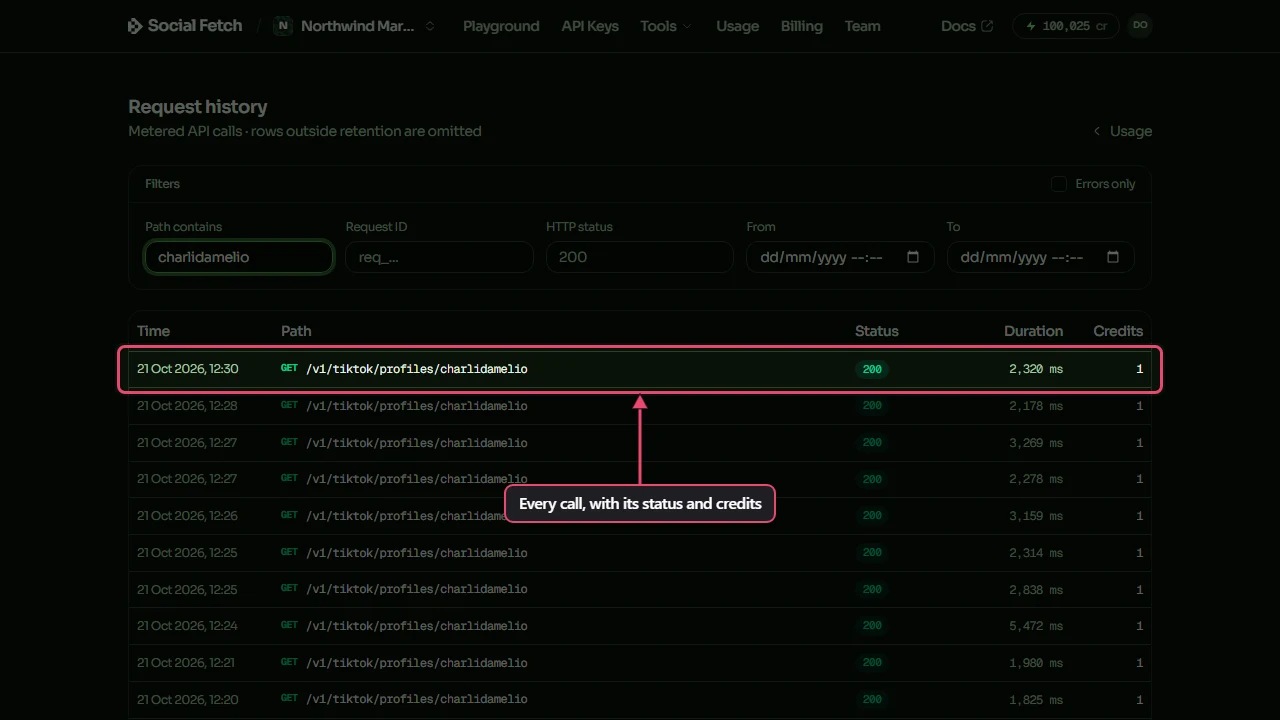
Your credit balance is at the top right of the app, next to your account menu. To see each request, open Usage in the top menu and click Request history, or go straight to app.socialfetch.dev/requests. Each row shows when the request ran, its path, status, how long it took and the credits it cost. Type part of a path or a request ID in the filters to find one request.
Common first-run errors
401unauthorized: the key is invalid, revoked or expired. Copy it again, or create a new one in API Keys.402payment_required: nox-api-keyheader was sent. Check the header name and that the environment variable is set where your code runs.402insufficient_credits: the key works, but the workspace doesn't have enough credits for that endpoint. See Credits.503temporarily_unavailable: the service is briefly busy. Wait for the number of seconds in theRetry-Afterheader if there is one, or retry with a growing delay. You aren't charged for these.200withlookupStatus: "not_found"or"private": the request worked, but the profile doesn't exist or is private. Treat it as a result, not an error.
For the full error format and retry advice, see Errors.
Where to go next
API reference
Every documented endpoint, with params, schemas, and per-route behaviour.
TypeScript SDK
Typed methods, `Result` handling, and `unwrap()` for TypeScript-first integrations.
Errors
HTTP errors, outcome semantics, request IDs, and retry guidance.
Credits
Which routes charge, how to interpret `creditsCharged`, and what `402` means.