Ad Tracker costs and limits
What the Ad Tracker spends credits on, each library's cost, how to read the estimates, how to spend less, and what happens when your credits run out.
The Ad Tracker runs on your Social Fetch credits, at the normal price of each lookup it makes. Nothing is charged for opening the tracker, browsing ads, filtering, AI tags, monthly briefs, boards, exports, emails or webhooks.
What uses credits
| What | Credits | When |
|---|---|---|
| Finding a brand | About 10 | Each time you click Find ads, Find or Search again |
| Searching one library | 1 to 5 | When you search in a library's list while setting up, or from Add a library or Change on a competitor's page |
| A page of a library's ads | 1 on Meta, LinkedIn and TikTok; 25 on Google | Every check reads one or more pages |
| Transcribing a video ad | 1 per video | Meta and Google video ads, up to 10 a check on each |
A page holds up to a few dozen ads. A check reads more pages when there's more to read:
- The first check reads up to 5 pages on each library, to collect what's running now and recent ads.
- Later checks on LinkedIn, Google and TikTok read newest first and usually stop after one page, when nothing on it is new. They read at most 3.
- Later checks on Meta read the whole list of running ads, so the tracker can tell which ones stopped: about 3 pages for most brands, and at most 10.
Read the estimates
When you add a competitor, the Name and cost table shows each library's cost, and the Your competitor panel adds them up:
| Library | Checked | First check (at most) | Typical month | Busiest month |
|---|---|---|---|---|
| Meta | Every day | 15 | 120 | 600 |
| Every day | 5 | 30 | 90 | |
| Every 3 days | 135 | 260 | 850 | |
| TikTok | Every day | 5 | 30 | 90 |
| All four | 160 | 440 | 1,630 |
The figures include video transcripts. A typical month assumes about one new video ad a check; the busiest month is a brand that runs hundreds of ads at once, where every check reads as many pages as it can.
In our tests, Duolingo's first check on all four libraries cost 149 credits and Babbel's on Meta, LinkedIn and Google cost 131 credits plus transcripts.
A competitor's page shows Credits this month: what its checks and video transcripts have used since the 1st of the month (UTC). Your Usage page lists every charge.
Spend less
- Leave Google out if you don't need search and YouTube ads. It's more than half the cost.
- Track only the libraries the brand uses. If a brand doesn't advertise on TikTok, choose Don't track TikTok when you set it up.
- Switch a library off later, on the competitor's page under Ad libraries. Checks on it stop; its ads stay.
- Pause a competitor you don't need for a while. No checks run and no credits are spent until you resume, and its ads stay.
- Remove a competitor you've finished with. Its checks stop straight away, but its ads leave your tracker and your boards (including shared ones), and it can't be undone. Pause instead if you might want the ads later.
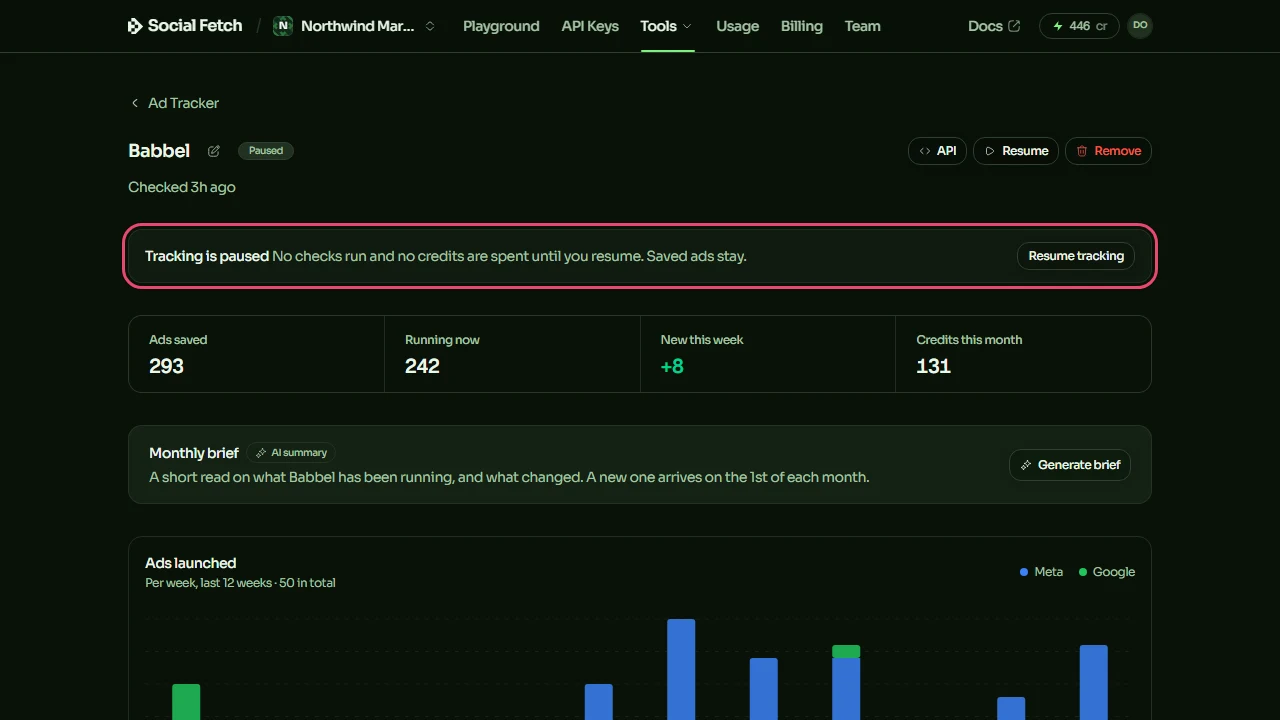
There's no monthly spending cap for the Ad Tracker and no limit you can set on a check. Each check stops at the most pages shown above, so after its first check, a competitor's month of checks costs at most the busiest-month figure in the table. A first check that runs out of credits partway keeps the ads it read, and runs again in full once you've added credits. Keep an eye on Credits this month on each competitor's page, and pause any that cost more than they're worth.
There's no setting for how often each library is checked, and no way to check sooner than the schedule. When you resume a paused competitor, any library that missed its check is checked within a few minutes; the rest carry on from their next scheduled check.
When credits run out
Before you start tracking, the Your competitor panel warns you when your balance is lower than the first check: You have 10 credits, so the first check will stop short. You can still start.
When a check finds the workspace has no credits left, it stops there. The ads it had already read are saved, and none are marked stopped because of the unfinished check. The competitor shows Needs credits and a banner, whether it was the first check or a later one:
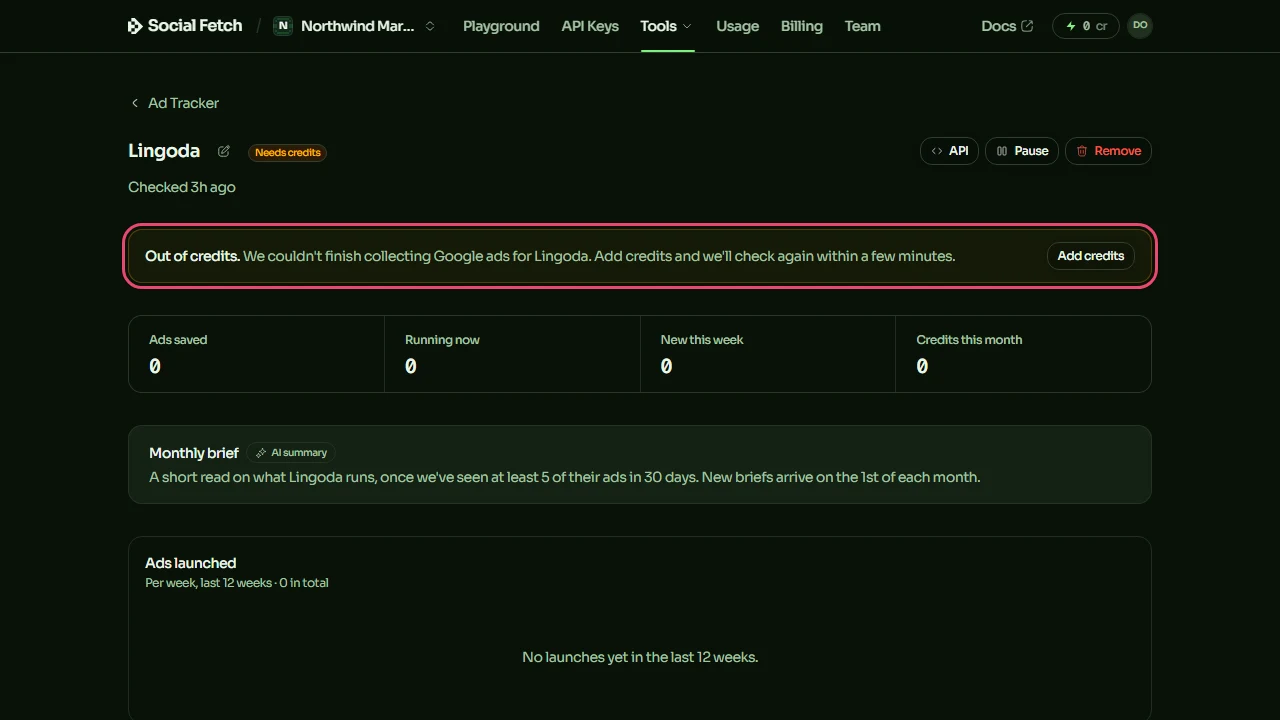
Add credits and the check runs again within a few minutes: the tracker looks for checks waiting on credits every few minutes, and runs them once credits have been added and the balance covers at least a page of that library. If you don't add credits, it tries again at its next scheduled time: the next day, or three days later for Google.
The tracker also sends an email, The Ad Tracker needs credits, at most once every three days. You can't turn it off, so the tracker never goes quiet without you knowing.
Running out of credits never counts as a failed check, so it never switches a library off.
To keep the tracker running, keep enough credits for a month of checks, or turn on auto top-up in Billing.
Save and share ads
Keep the competitor ads worth learning from on Ad Tracker boards, add notes on why each one works, and share a board with a client or your team by link.
Alerts and exports
Get an email when a competitor launches new ads and a weekly digest, send tracker events to Slack, Zapier, Make or your own code with webhooks, download ads as CSV, and get the same data through the API.