Billing for monitors
What monitors cost: each check bills at the watched endpoint's normal price. Estimate a schedule with dryRun, see what each monitor has spent, cap its spend, and what happens when credits run out.
Monitors run on your Social Fetch credits. There's no monitor fee: each check calls the endpoint you're watching and costs what that call costs when you make it yourself.
What costs credits
- Each check bills at the normal price of the endpoint it watches. A monitor on
GET /v1/twitter/profiles/{handle}/tweetspays that endpoint's price every time it checks. - The first check runs when you create the monitor. It records what's there now (the baseline) and bills like any other check.
- A check that finds nothing new costs the same as one that finds ten new posts.
- A check whose target has gone (the account is private, suspended or deleted) still bills. A check that fails because of an error on our side or the platform's isn't charged.
- Run now (
POST /v1/monitors/{id}/trigger) is free; the check it queues bills normally. - Everything else is free: creating, listing, updating, pausing, resuming and deleting monitors and webhook endpoints, reading events and check history, webhook deliveries and retries, and test sends from a webhook endpoint.
- Nothing is shared. If two workspaces watch the same account, each pays for its own checks.
Work out the cost
The schedule sets the checks per day: every 15 minutes is 1440 / 15 = 96 checks a day, hourly is 24, and every minute is 1,440. Each endpoint's price is on its API reference page.
| Checks every | Checks a day | At 1 credit a check | At 2 credits a check |
|---|---|---|---|
| 1 minute | 1,440 | 1,440 a day, 43,200 a month | 2,880 a day, 86,400 a month |
| 5 minutes | 288 | 288 a day, 8,640 a month | 576 a day, 17,280 a month |
| 15 minutes | 96 | 96 a day, 2,880 a month | 192 a day, 5,760 a month |
| 1 hour | 24 | 24 a day, 720 a month | 48 a day, 1,440 a month |
| 6 hours | 4 | 4 a day, 120 a month | 8 a day, 240 a month |
| 24 hours | 1 | 1 a day, 30 a month | 2 a day, 60 a month |
Most sources can check as often as every minute. The X sources (twitter.search.list and twitter.profile.tweets.list) check at most every 5 minutes, so the 5-minute row is their fastest.
Choosing how often to check is the biggest decision for cost. A monitor checking every minute costs 60 times as much as an hourly one, and most accounts don't post often enough to need it.
Preview the cost before you create
Add ?dryRun=true to a create request. Social Fetch checks the request and returns a costPreview without creating the monitor or running the first check, so a dry run costs nothing:
A real create returns the same costPreview. A month here is 30 days; for a cron schedule, the preview counts the checks it would run in the next 30 days.
See what a monitor has spent
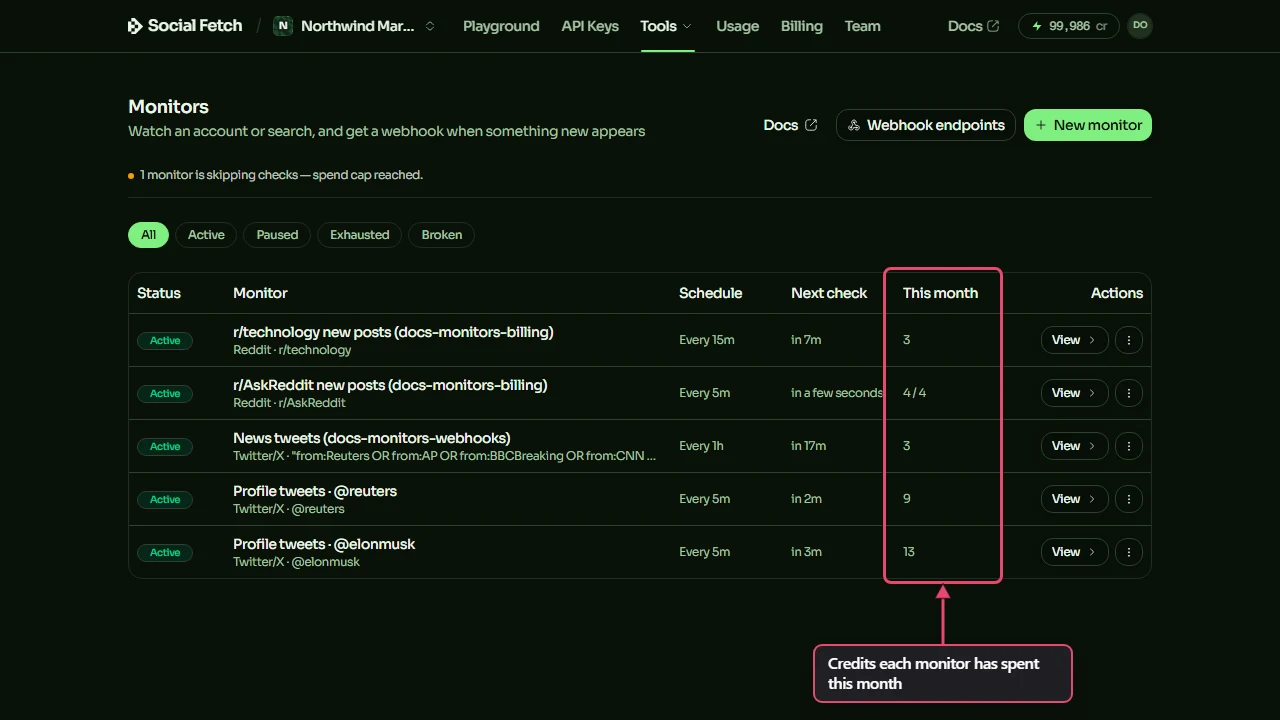
The Monitors page shows what each monitor has spent this month, in credits. Months run from the 1st (UTC).
Click View on a monitor to open it. This month in its header is the same figure. Below it, Events lists the checks that found something new, with the credits each one cost.
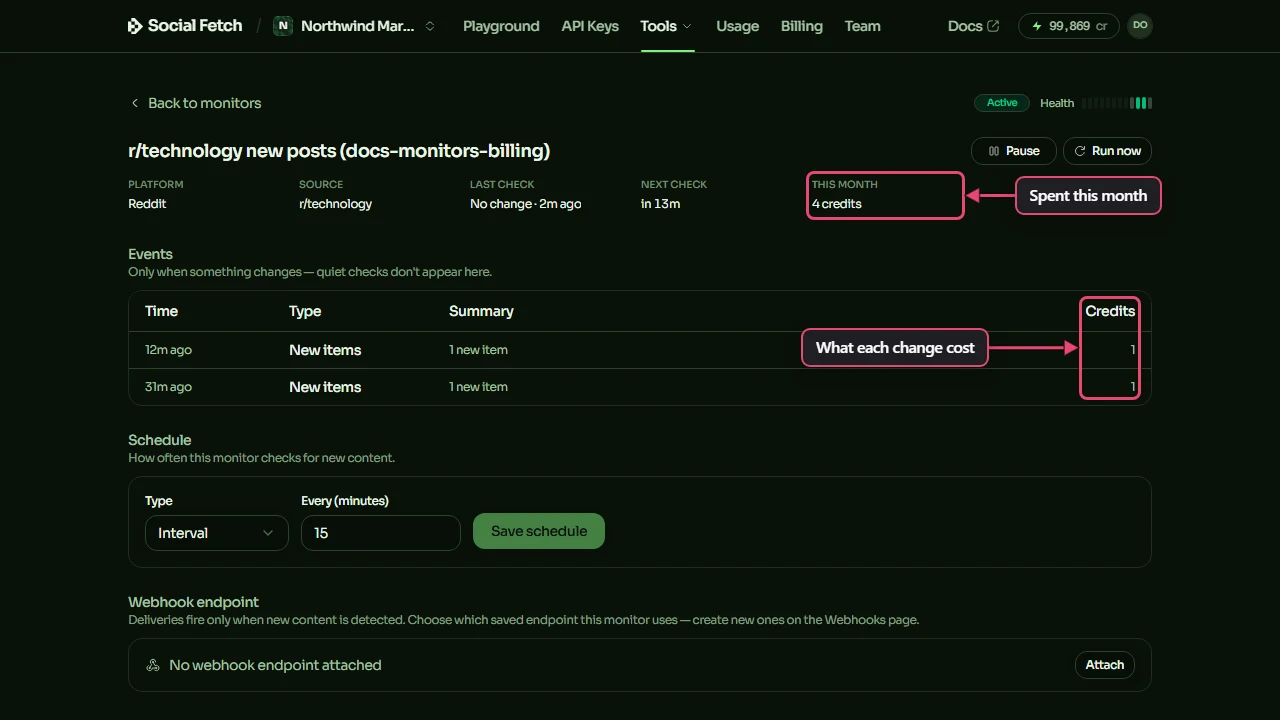
Quiet checks aren't listed under Events, but they're billed and counted in This month. The Health strip at the top right has one bar per recent check: green when it found something new, grey when it didn't, amber when it was skipped and red when it failed. Hover over a bar to see when it ran. For every check, including quiet and skipped ones, call GET /v1/monitors/{id}/checks: each entry has its time, its outcome and the credits it cost.
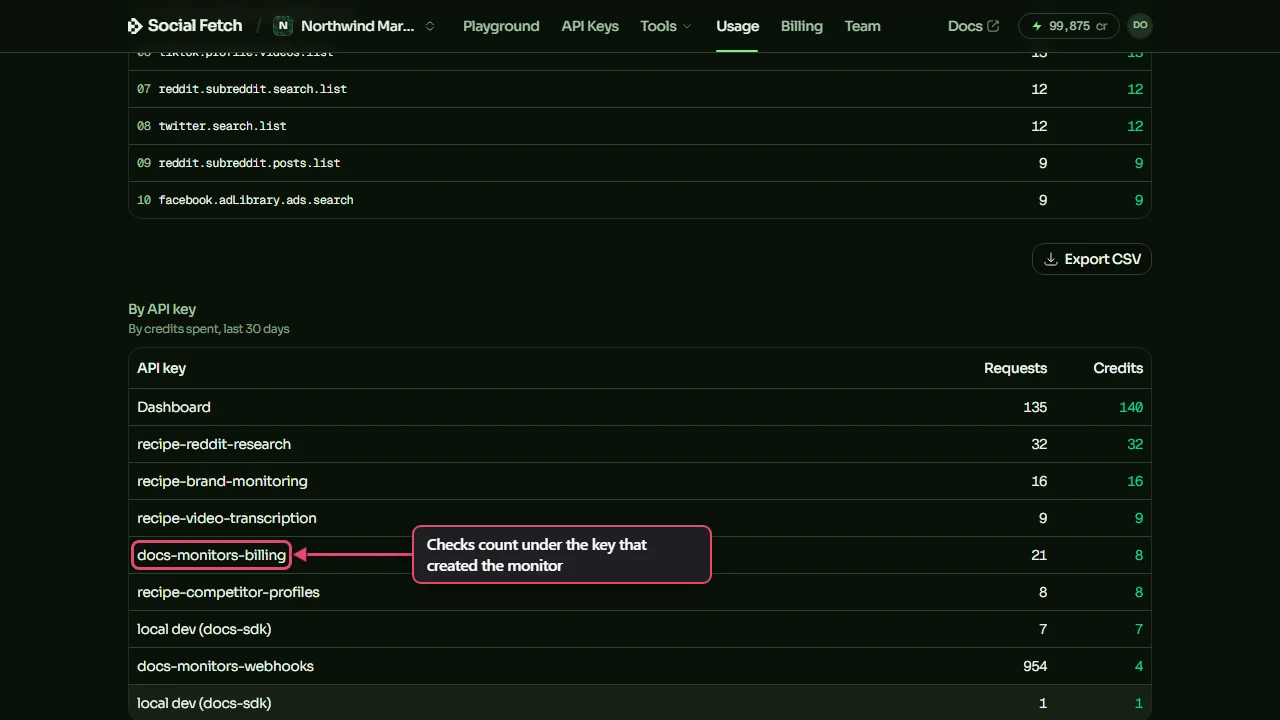
Your Usage page counts monitor checks with the rest of your requests. Under By API key, checks for a monitor you created with an API key count under that key, and checks for one you created in the dashboard count under Dashboard.
Cap one monitor's spend
Set spendCapCredits when you create a monitor, or later with PATCH /v1/monitors/{id}, to limit what it can spend in a calendar month (UTC). Send null to remove the cap. The cap is set through the API; the dashboard shows it but has no field for it.
Before each check, Social Fetch adds the check's price to what the monitor has spent this month. If that would go over the cap, the check is skipped: nothing is charged and nothing is fetched. Skipped checks start again on the 1st of the next month, or as soon as you raise or remove the cap.
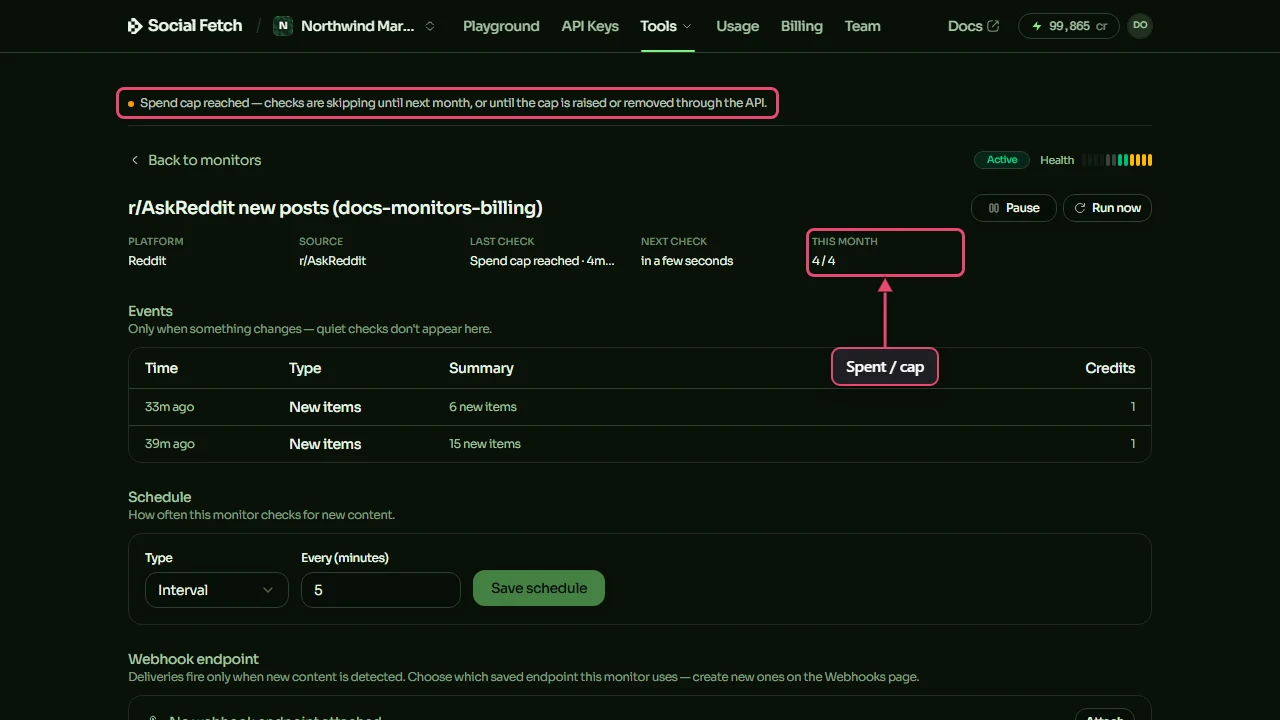
A monitor that keeps skipping for 7 days stops. Its status becomes exhausted and it doesn't start again by itself, even when a new month begins. So a cap reached early in the month stops the monitor until you resume it. Set the cap above a normal month's spend, so it only catches a monitor that's costing far more than you expected.
When your credits run out
If your workspace doesn't have enough credits when a check is due, the check is skipped, not failed:
- The check is recorded in the monitor's check history as skipped, with the reason, and nothing is charged. The monitor's page shows Out of credits and a link to Add credits.
- The first skipped check sends an email to whoever created the monitor (or to the workspace owners, if that person has left the workspace). The monitor keeps trying at each scheduled time.
- Top up within 7 days and the next scheduled check runs as normal. You don't need to do anything else.
- After 7 days of skipped checks, the monitor's status becomes
exhausted, a second email goes out, and it stops checking. Add credits, then click Resume on the monitor's page (or sendPATCH /v1/monitors/{id}with"status": "active"). If its last successful check was more than 7 days ago, it starts with a fresh baseline, so you don't get a flood of old posts.
The same happens when a monitor's API key reaches its own monthly credit limit: checks are skipped until the limit resets or is raised, and the monitor stops after 7 days.
To avoid running out, turn on auto top-up in Billing. See Credits for how your balance works.
Plan limits
Monitors need at least one credit pack purchase or subscription on the workspace. They aren't available on free signup credits alone.
How often a monitor can check doesn't depend on your plan: every workspace can check as often as the source allows. The only plan limit is how many monitors can be active at once. Paused and exhausted monitors don't count.
| Plan | Active monitors |
|---|---|
| Pay as you go (no subscription) | 5 |
| Starter | 25 |
| Growth | 100 |
| Scale | 250 |
The limit is checked when you create or resume a monitor. If you reach it, the REST API returns HTTP 400 with error.code: "bad_request" and the message Your plan allows at most 5 active monitors. (with your plan's number). Pause or delete a monitor, or move to a bigger plan. See Pricing for the plans.
Where to go next
Credits
How your balance, auto top-up and 402 errors work across the API.
Monitoring quickstart
Create a monitor and watch its first events arrive in a test inbox.
Testing webhooks locally
Test sends and Run now, and what each one costs.
Monitors API reference
Every field, including costPreview, spendCapCredits and spendThisMonth.
Ad Tracker events
Get the Competitor Ad Tracker's new ads, stopped ads, briefs and weekly digest as signed webhooks: payloads, typing and Slack.
Recipes
Short, copyable workflows for brand monitoring, competitor tracking, transcripts, ads, creator scoring and Reddit research, with credit notes and TypeScript SDK examples